SDK and skills
The jinko-sdk package is the typed Python interface to Jinkō. Jinkō Skills add reusable procedures that agents can follow from external harnesses such as coding agents and scientific workbenches.
Install the SDK and skills
pip install jinko-sdk
npx skills add novainsilico/jinko-skills
Use the SDK when you need direct control from Python. Use a skill when you want an agent to follow a repeatable workflow with explicit inputs, checks, outputs, and review points.
Create API credentials
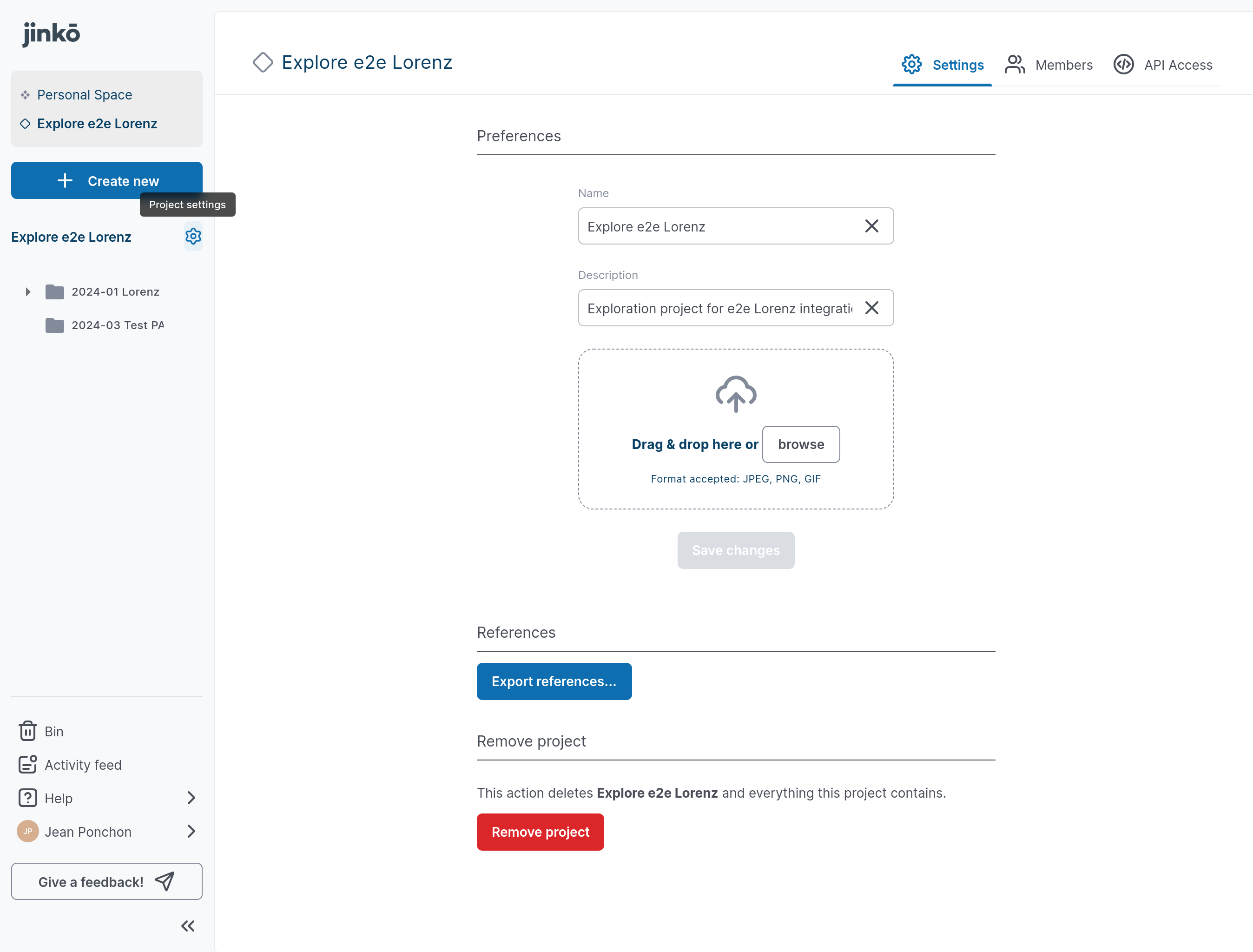
1. Open project settings
- Select the settings icon beside the project name.
- Select the API access tab.
2. Create a key
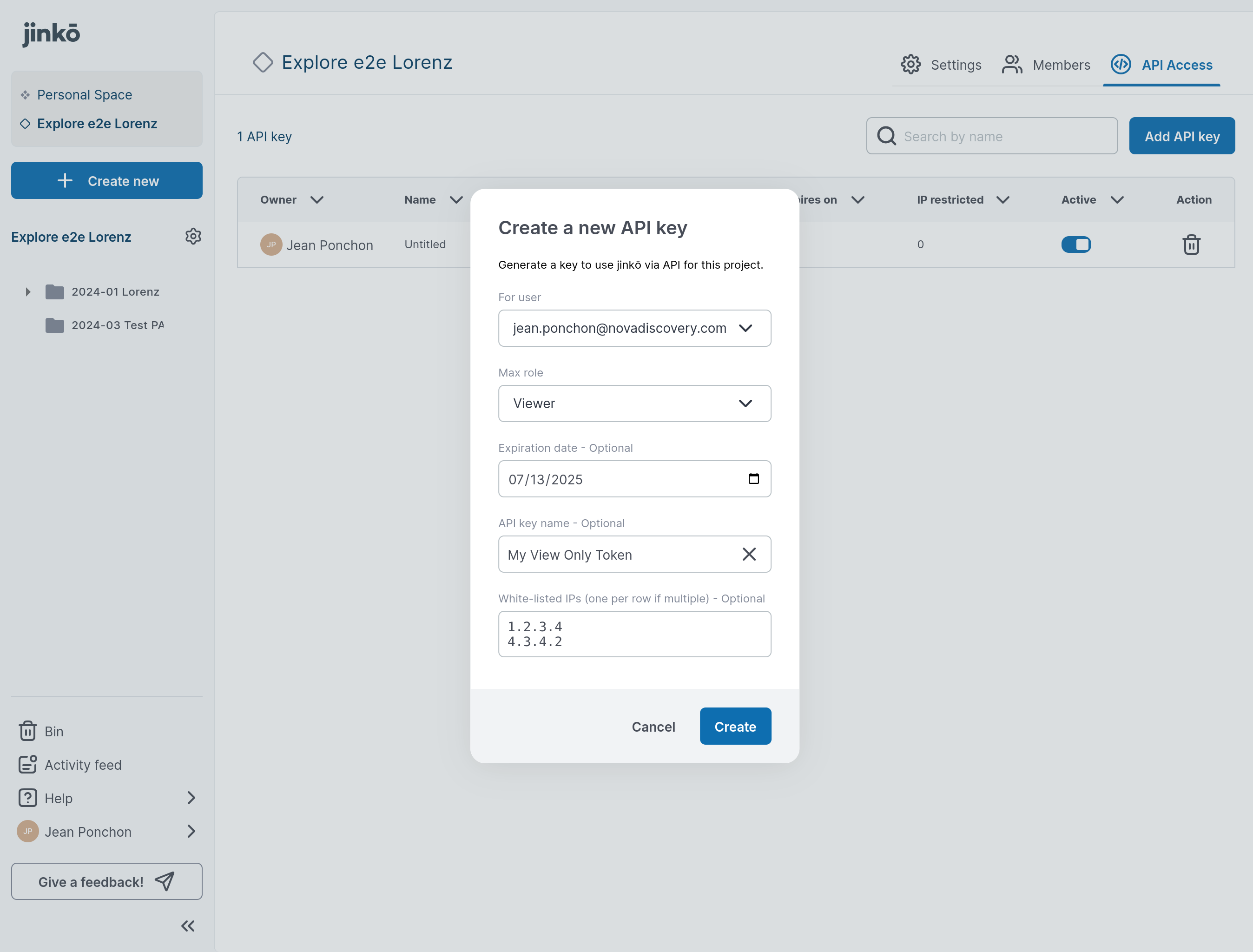
- Select Add API key.
- Name the key, then select Create.
- Copy the secret. Jinkō displays it once.
3. Test the connection
Send a request to the authentication endpoint with your API key and project ID:
curl --request GET \
  --url https://api.jinko.ai/app/v1/auth/check \
  --header 'Accept: application/json' \
  --header 'Authorization: Bearer YOUR_API_KEY' \
  --header 'X-jinko-project-id: YOUR_JINKO_PROJECT_ID'
A valid key returns:
{
  "status": "authenticated"
}
See the authentication operation for the complete REST reference.