Quick start
Let's discover Jinkō API in less than 5 minutes.
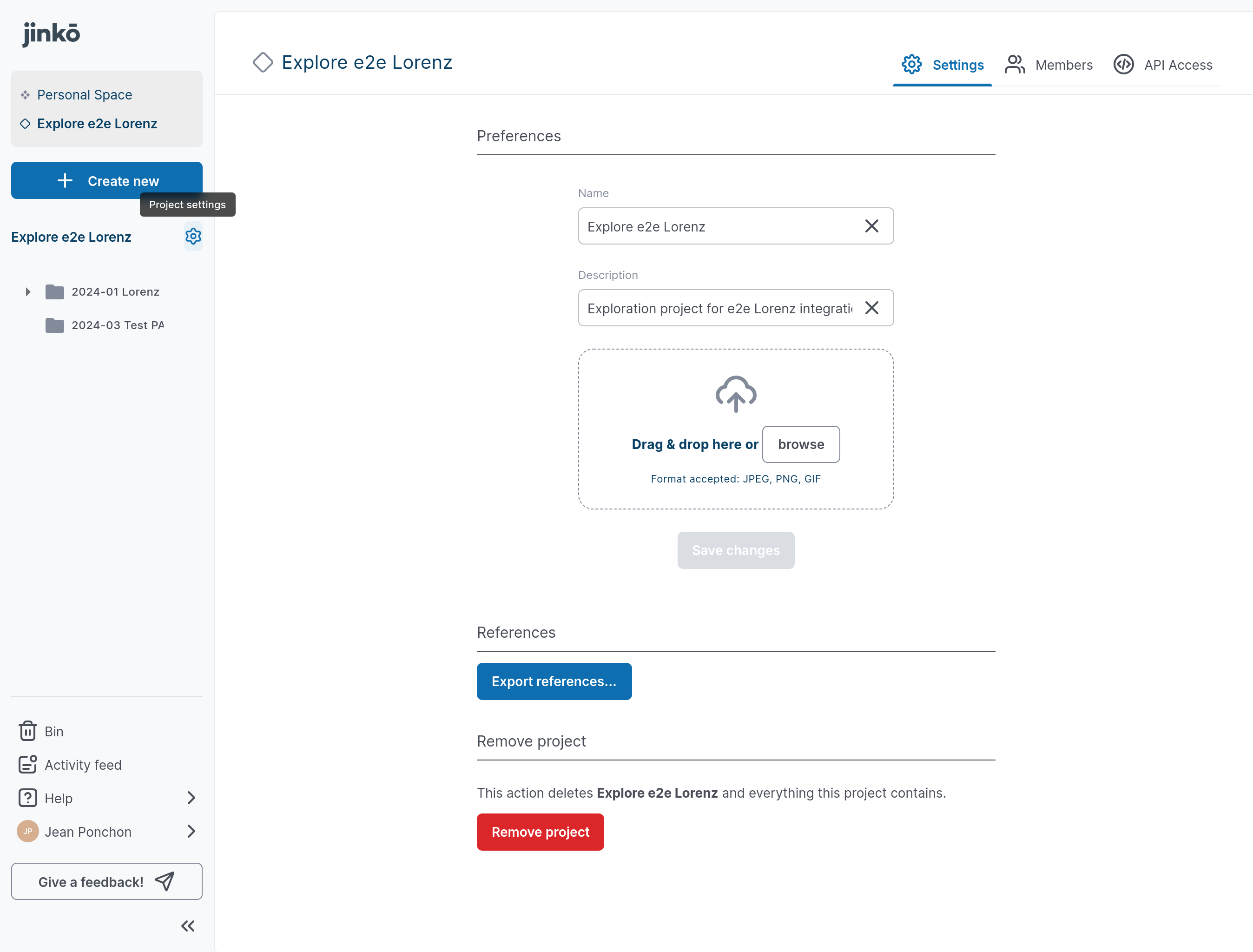
01. Open project settings
- Click on the project setting wheel next to the project name
- Then click on "API Access" tab, top right
02. Create a new token
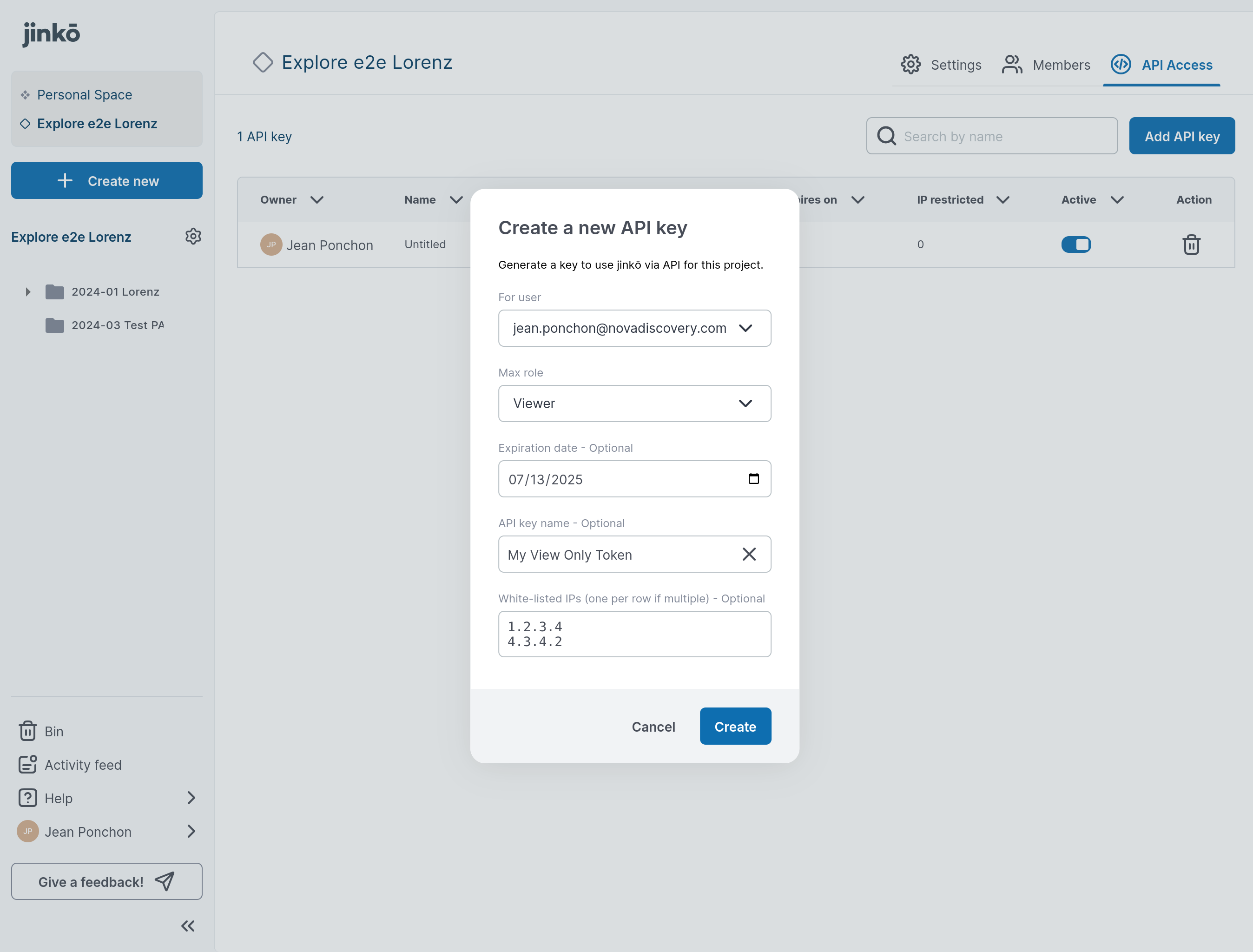
- Click on "Add API Key"
- Fill the form then click on "Create"
- Copy the secret api token
03. Test your connection
To verify your API token is working, you can test it by querying our authentication endpoint.
-
Send a
GETrequest tohttps://api.jinko.ai/app/v1/auth/check. -
Make sure to include your API token and project ID in the headers as follows:
curl --request GET \\
  --url https://api.jinko.ai/app/v1/auth/check \\
  --header 'Accept: application/json' \\
  --header 'Authorization: Bearer YOUR_API_KEY' \\
--header 'X-jinko-project-id: YOUR_JINKO_PROJECT_ID' -
If your token is valid, the response should indicate
{
  "status": "authenticated"
}
For more details on this endpoint and to try it directly from our documentation, visit the API Documentation.