An overview of AI integrations in Jinkō
AI agents in Jinkō enhance the modeling workflow and enable more effective collaboration between modelers and non-modelers. This section introduces Kōhai, our AI assistant, and explains how AI capabilities integrate seamlessly into Jinkō’s core features.
You can find out more about Kōhai in the Kōhai philosophy section.
Enhancing modeling through AI and Jinkō’s building blocks
AI in Jinkō significantly improves the experience for both modelers and non-modelers. It leverages core features (knowledge and data management, modeling and simulations, analytics, and versioning) through our API. As always with Jinkō, transparency and traceability are built-in, even with AI-driven features.
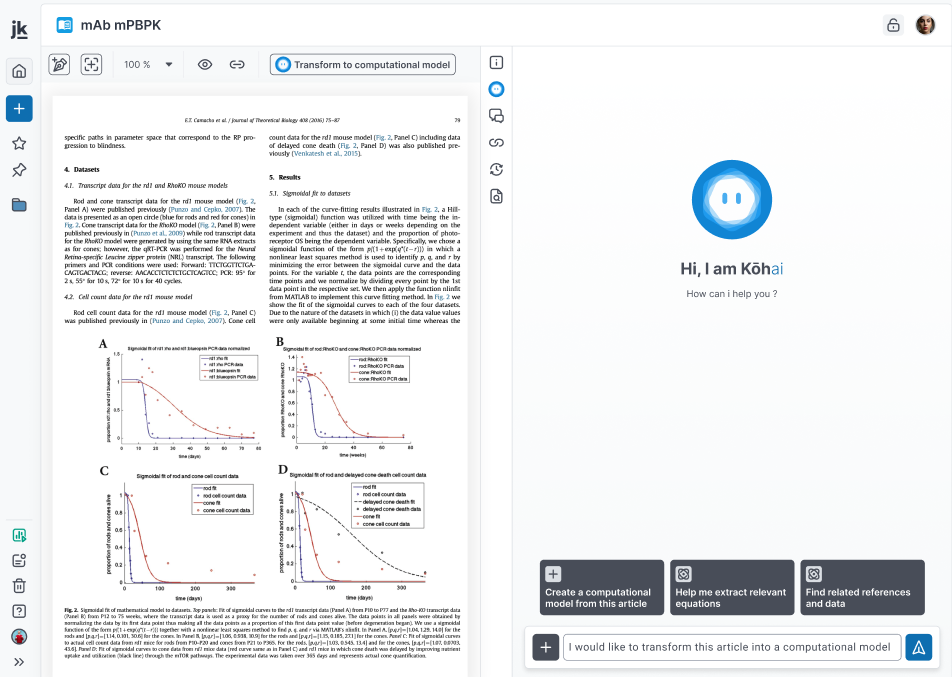
Meet Kōhai, Jinkō's AI assistant for modeling and simulation. Inspired by the Japanese term for "junior" or "assistant," Kōhai is here to support experts, not replace them.
Kōhai streamlines literature extraction, accelerates model integration (PMx, QSP), and facilitates collaboration across teams.
Accelerating modeling and simulations
Use Kōhai to speed up common modeling tasks:
From paper to computational model
AI can extract equations and parameters from uploaded references and convert them into models.
Full paper transformation
Kōhai can generate a first version of a computational model directly from a referenced paper.
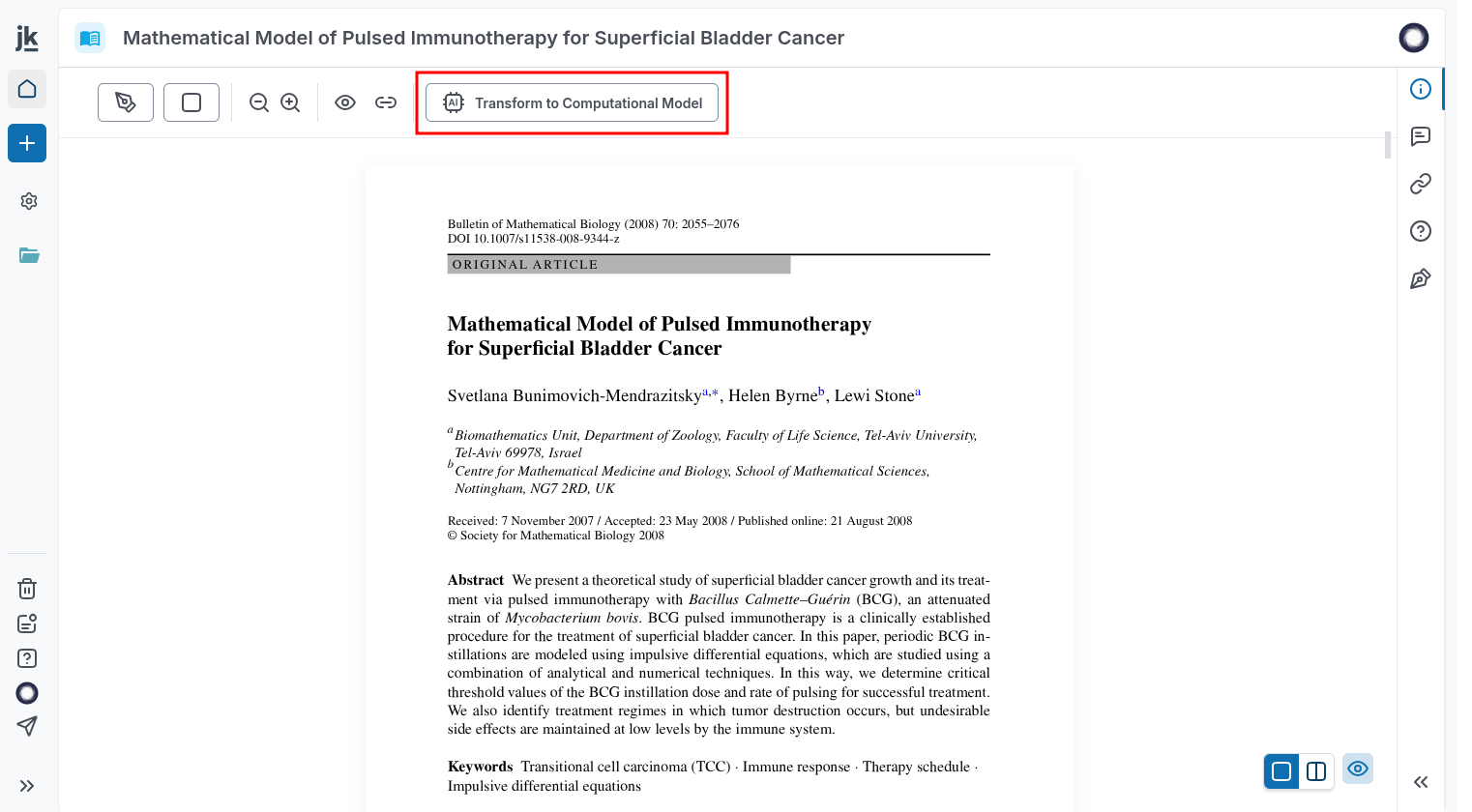
Step 1: Click “Transform to Computational Model” from a reference to initiate the process.
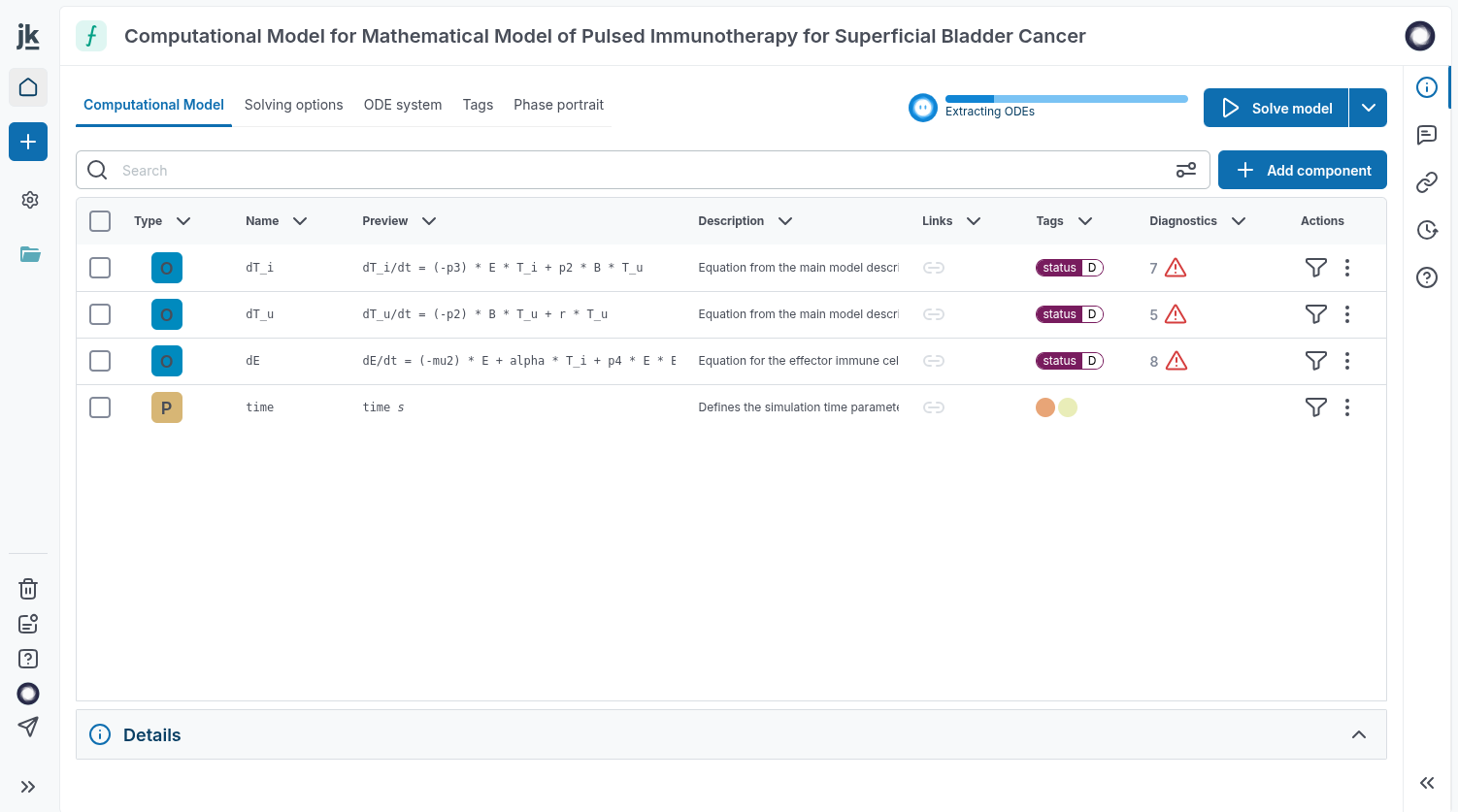
Step 2: Kōhai transposes the paper into an editable Jinkō model.
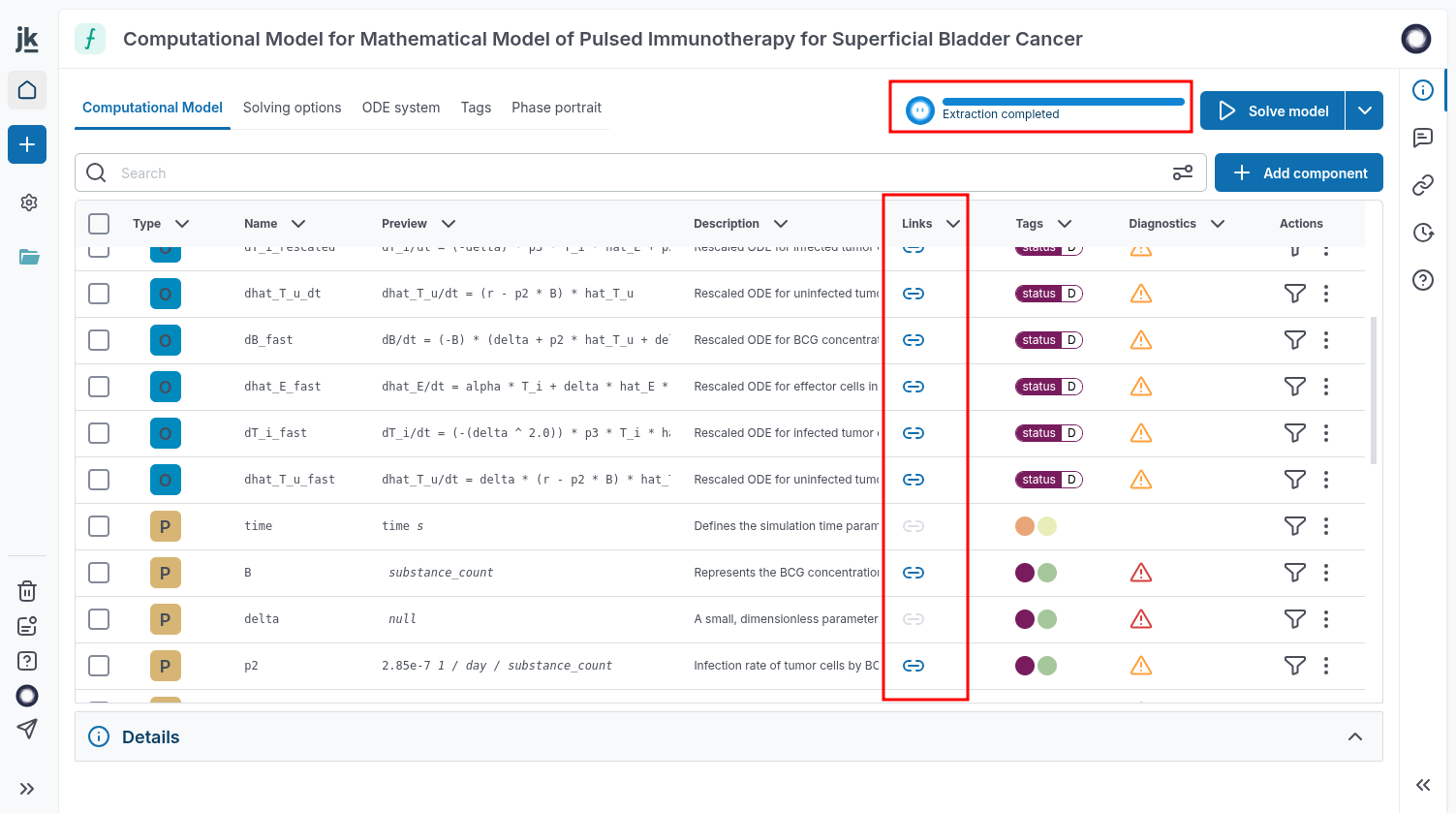
Step 3: All model components (e.g., ODEs, parameters) are linked back to their sources for full traceability.
Targeted equation extraction
Highlight LaTeX equations with a rectangular selection and use the “AI extraction” option to convert them into editable code.
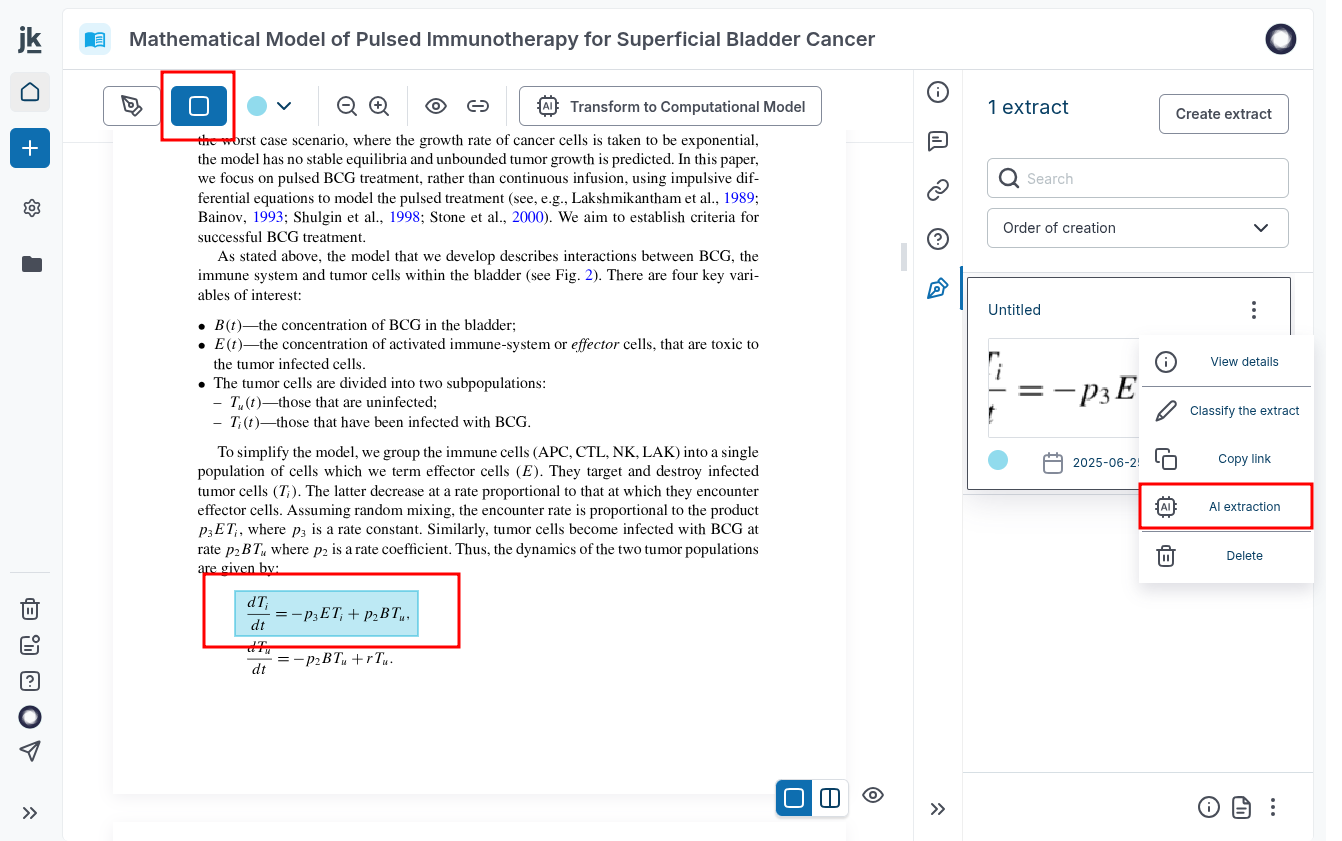
Step 1: Select the equation and choose “AI extraction” from the sub-menu.
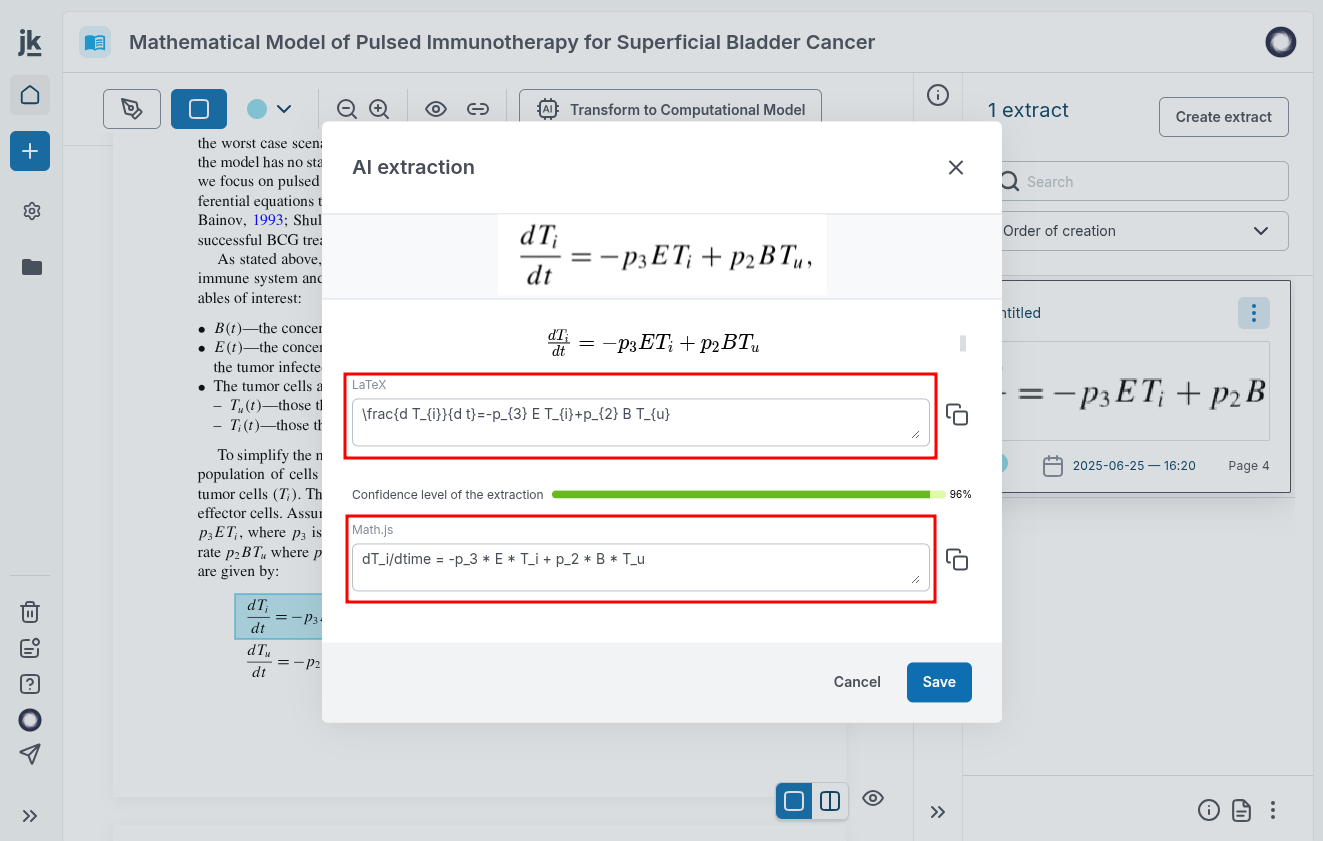
Step 2: Kōhai converts it into LaTeX (for documentation) and math.js (for modeling).
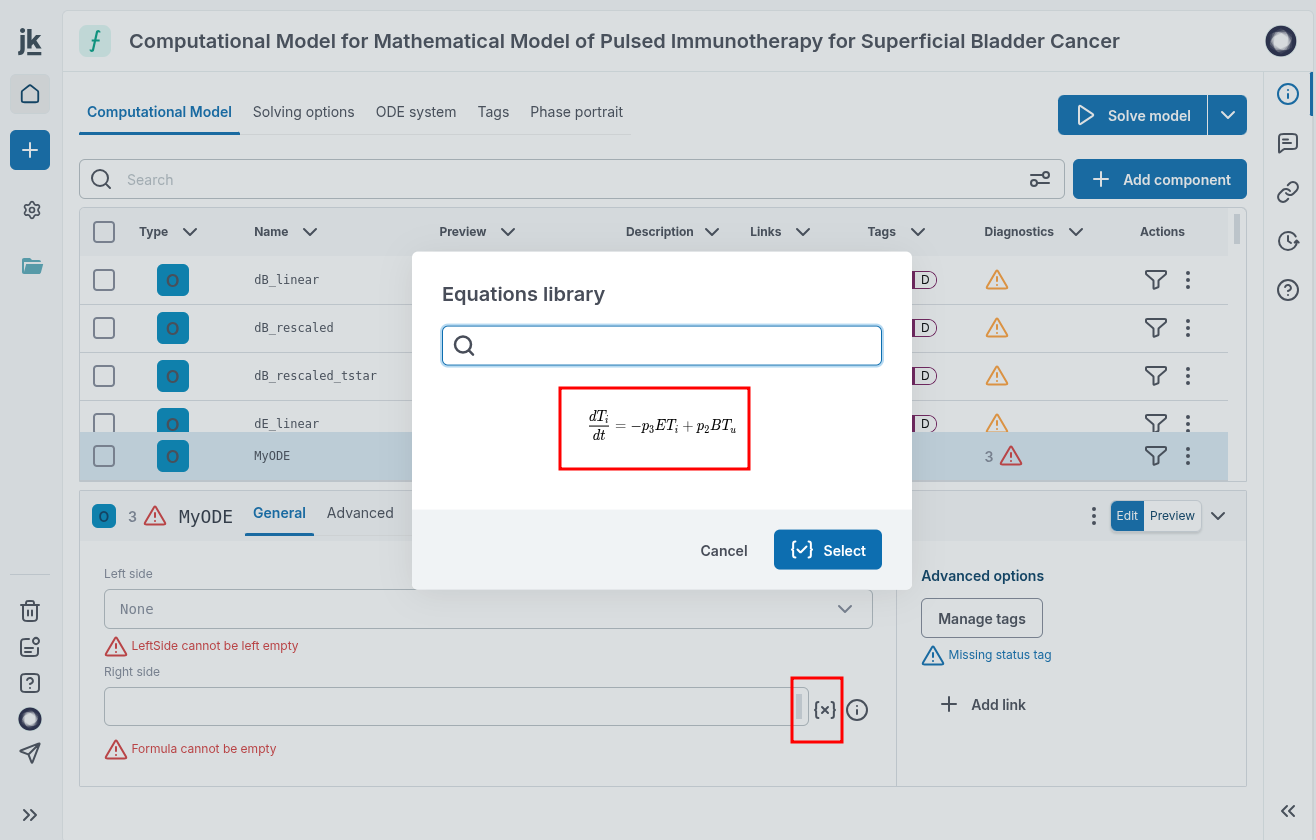
Step 3: Access your equation library from a model and insert math.js code directly.
Learn more about creating extracts in references in Jinkō.
Extracting tables and images
Kōhai also extracts data tables images for modeling workflows.
Table extraction from references
Use the rectangular selection and the “AI extraction” option in created extract sub-menu to convert tables from references into structured, editable formats.
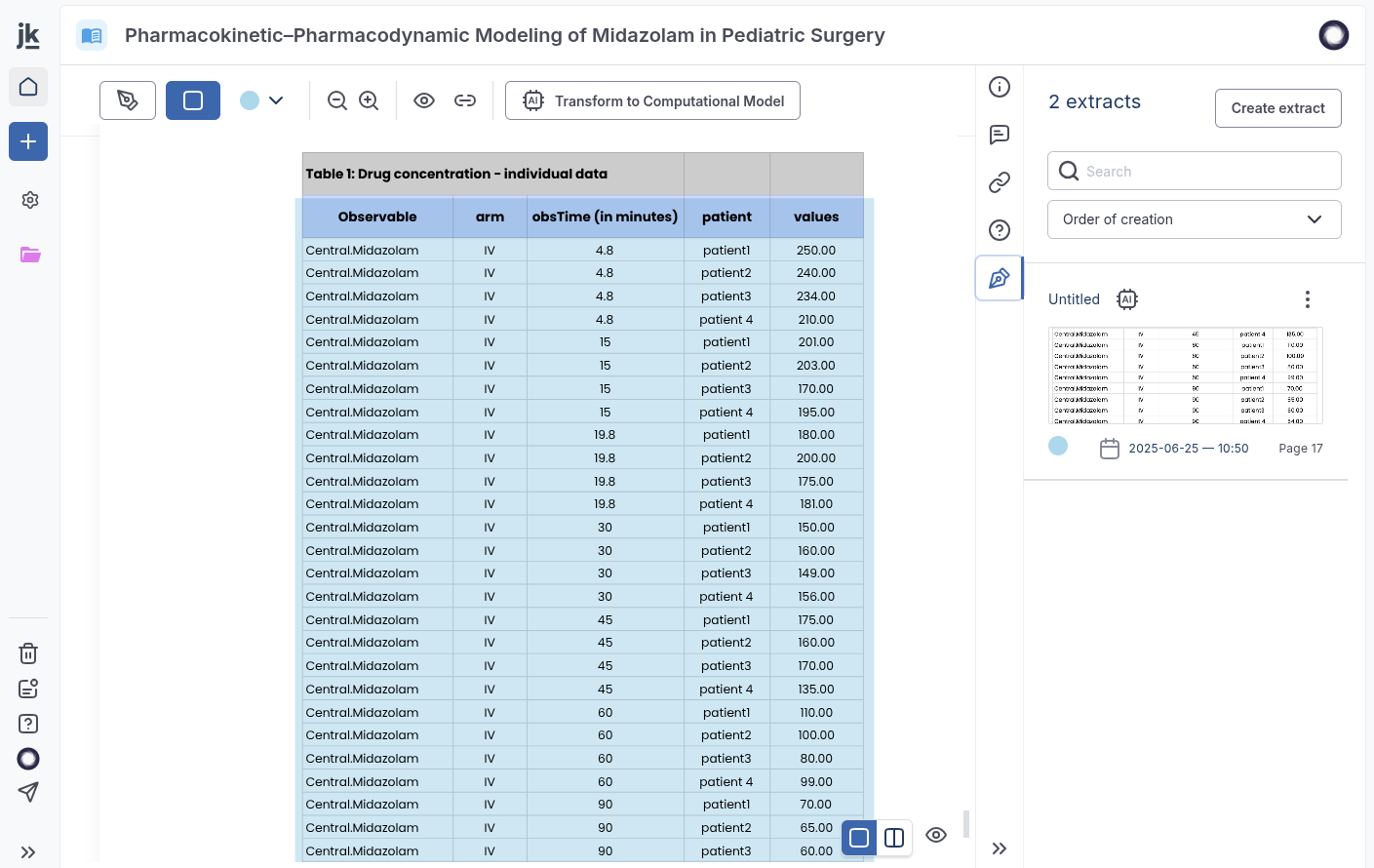
Step 1: Select a table using the extract tool, then run an “AI extraction.”
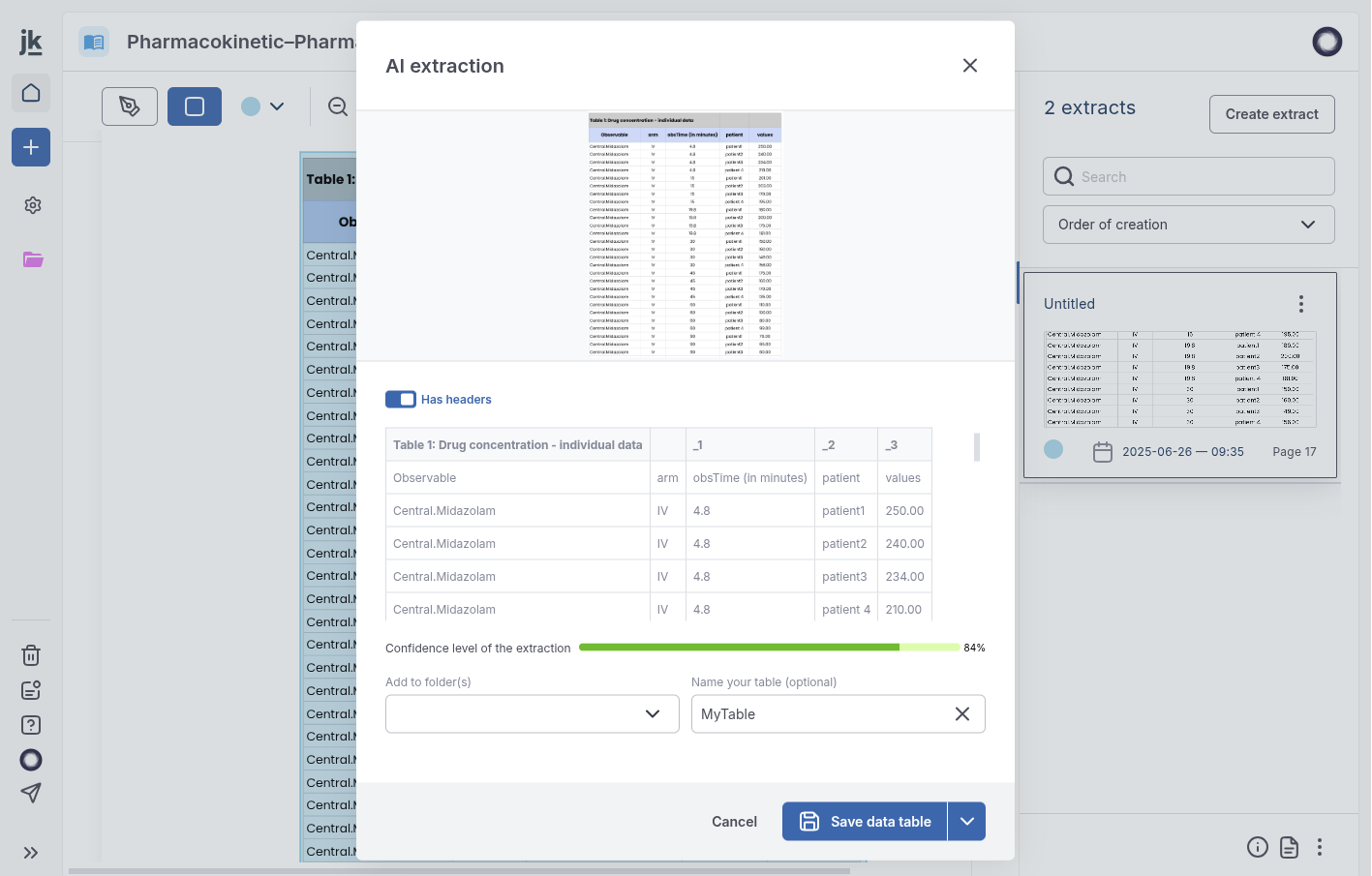
Step 2: The table is structured for use in modeling or further processing.
Data transformation for modeling
Kōhai can also format extracted or user-generated tables to ensure compatibility with trial simulation analytics.
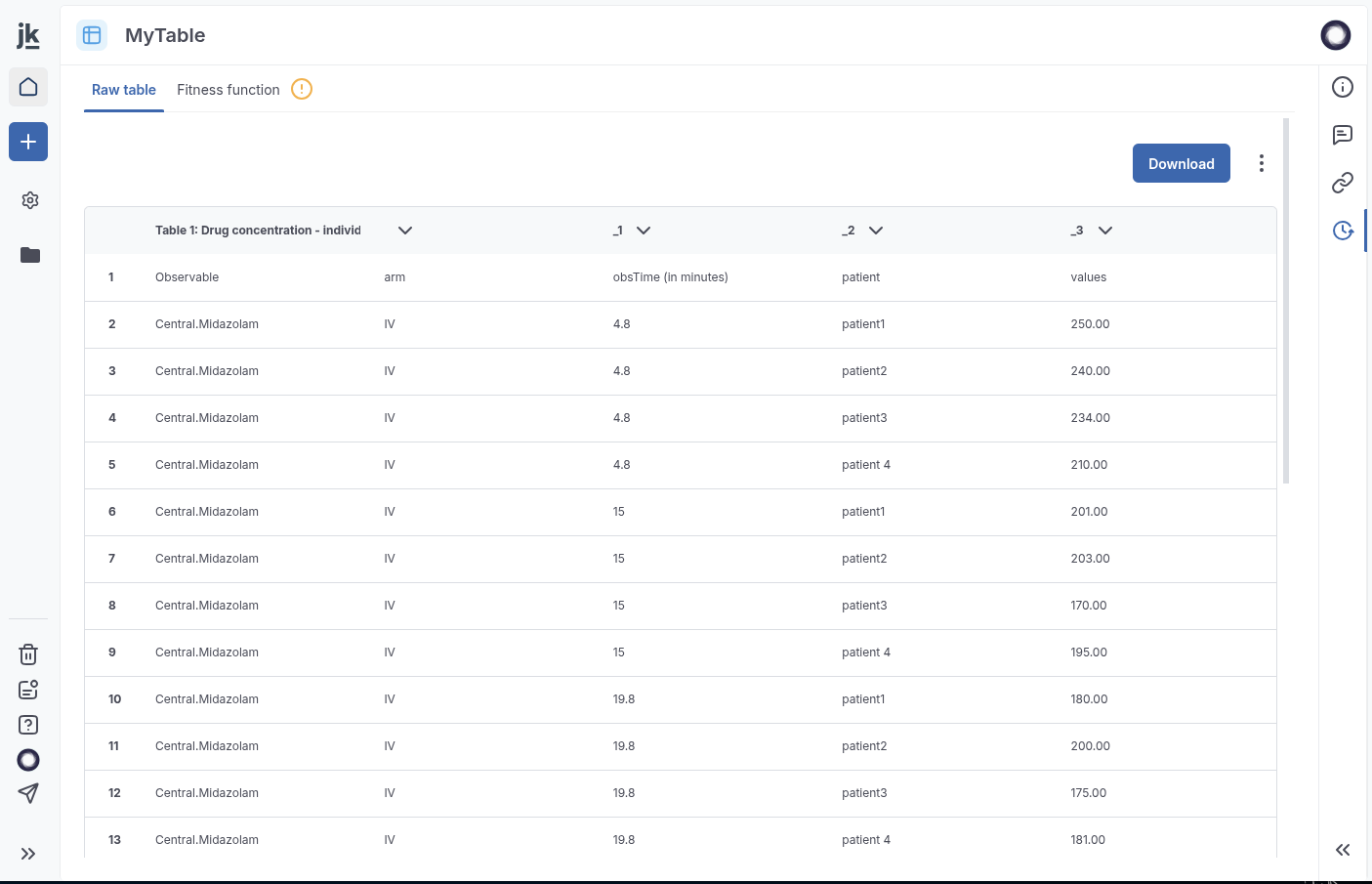
Step 1: Some tables may contain errors preventing them from being used in simulations, e.g. in overlays.
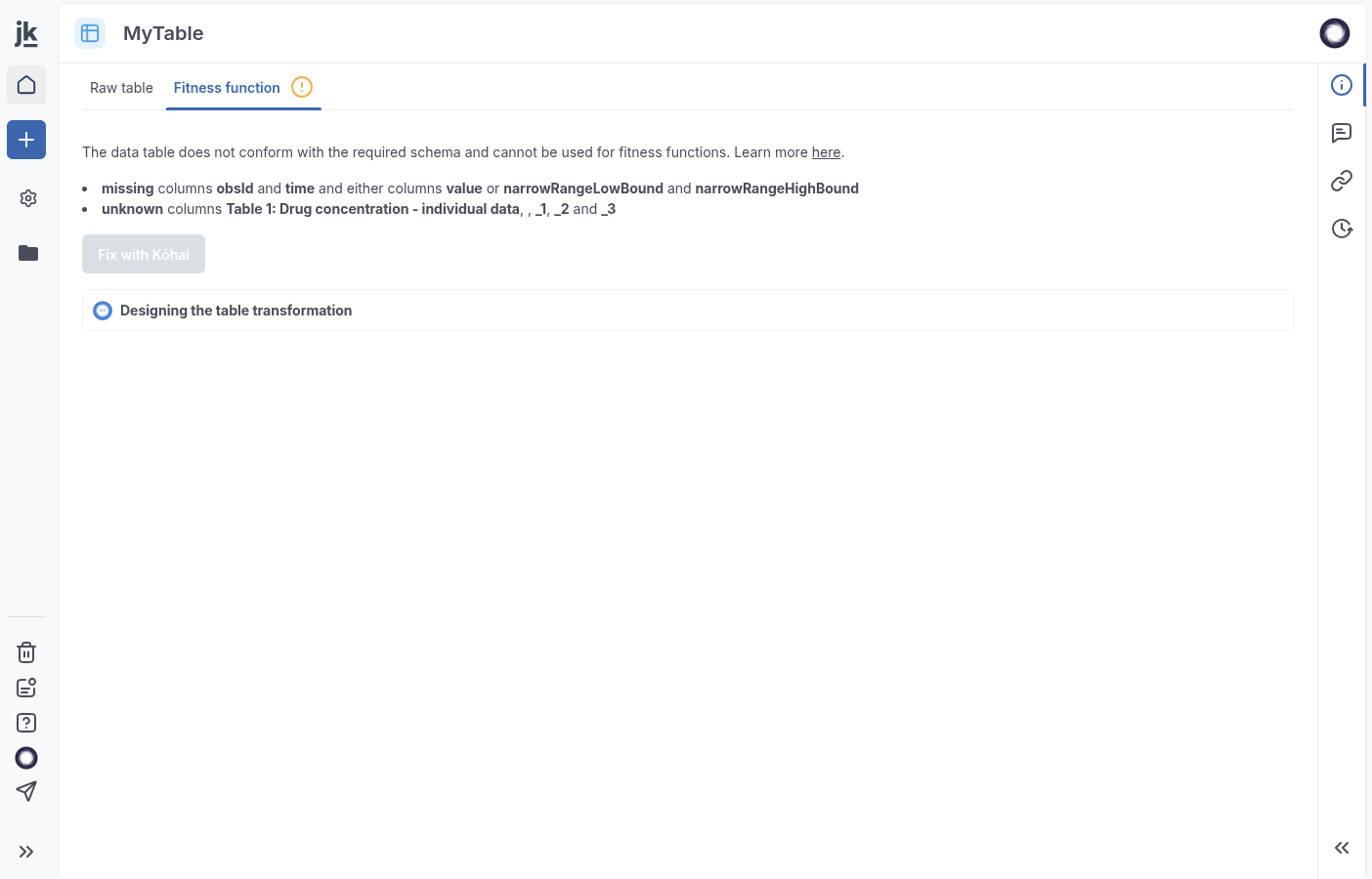
Step 2: Use the “Fitness function” tab and click “Fix with Kōhai” to auto-correct the format.
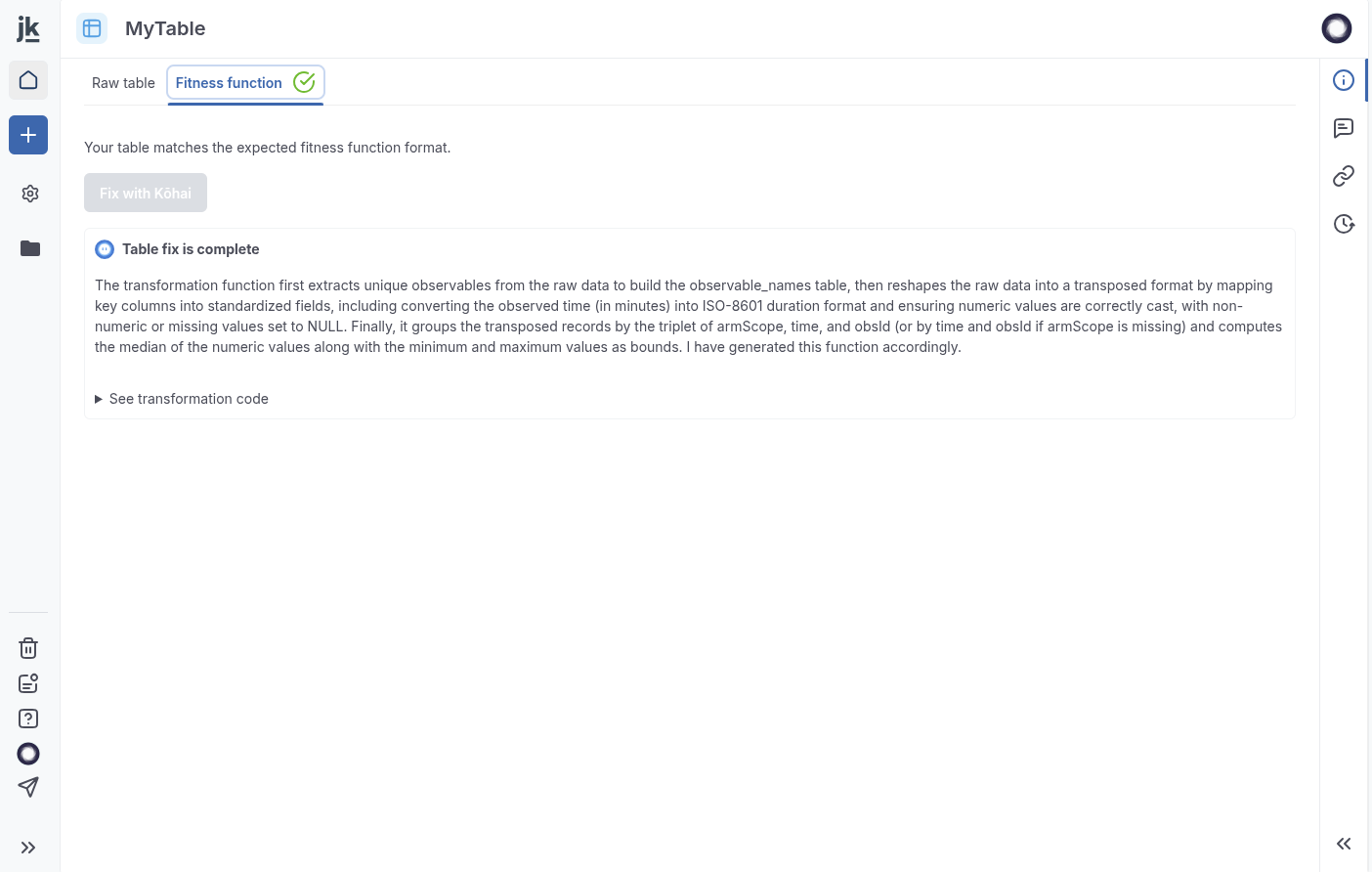
Step 3: View details of the transformation and inspect the code applied.
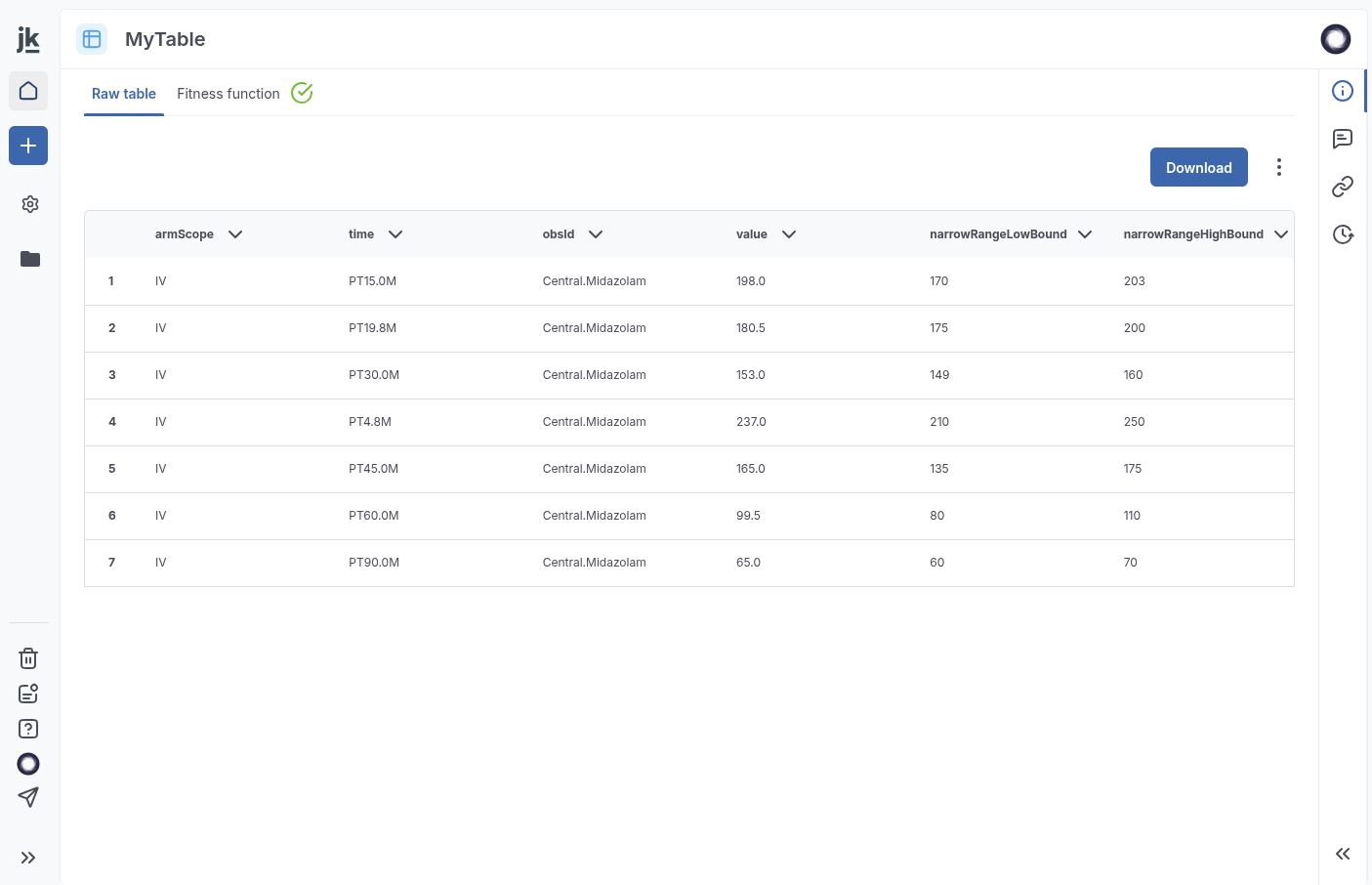
Step 4: The corrected table is ready for overlay in trial simulations.
Learn how to perform a data overlay in your simulations.
AI-assisted PMx model imports Q3 2025
Use Kōhai to assist with importing Monolix PMx models into Jinkō (more source formats, such as nonMEM and Phoenix™, will also be offered in subsequent releases). This feature automates parsing and transformation into either computational models or trial simulation assets.
Currently in beta (available on request), it supports:
- Computational models from Monolix
.txtfiles - Trial simulation assets from
.txt+.mlxtranfiles, enabling:- Output suggestions
- Virtual population creation
- Protocol arm generation
- Event integration
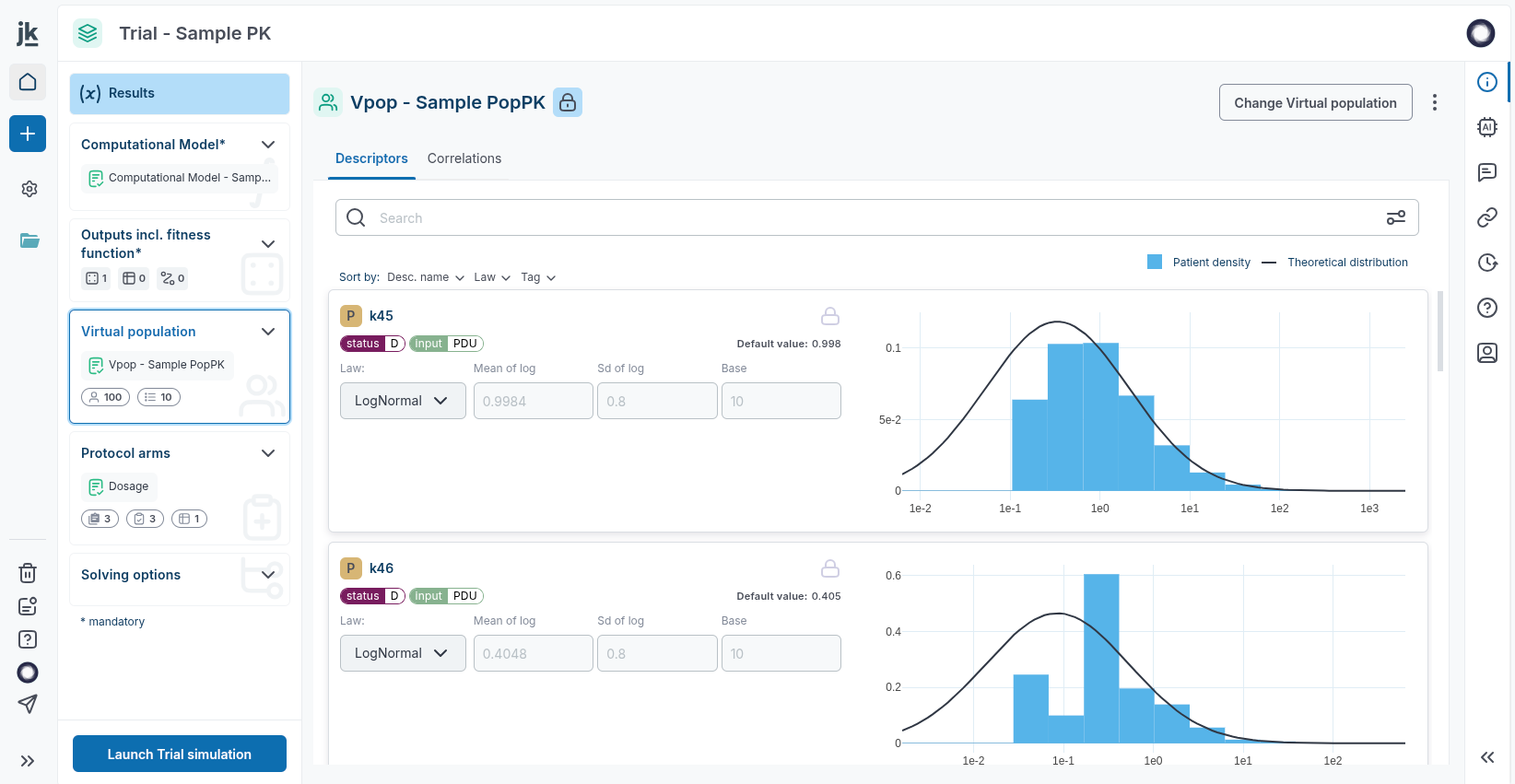
Example: Kōhai generates trial assets, including a virtual population, from Monolix files.
Collaborating with non-modelers
Empower colleagues in clinical, biological, or statistical roles with AI-powered tools.
Kōhai enables natural language interaction with trial simulations, allowing users to ask questions or edit protocols directly through chat. Future updates will extend capabilities to model navigation, source tracing, and data discovery.
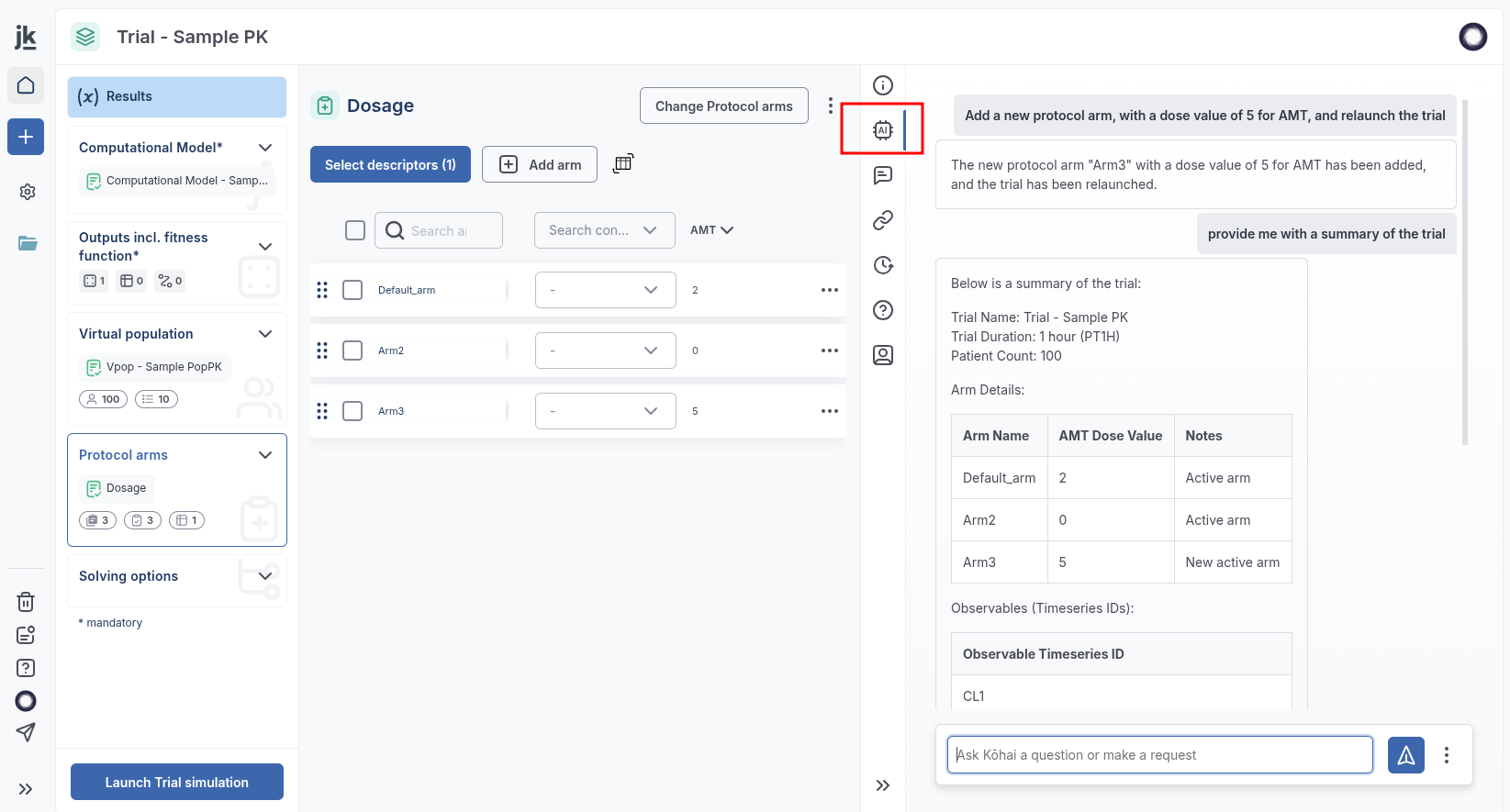
Kōhai provides an intuitive chat interface for exploring trial results. No modeling expertise required.