Data tables
Data tables in Jinkō allow to manage and visualize structured data efficiently for various applications, such as calibration and data overlay in simulation results.
Creating Data Tables
There are two primary methods to create data tables in Jinkō:
Uploading a Data Table
You can upload a data table in CSV or TSV format directly into Jinkō, from the 'Create new' menu. This is useful for importing existing datasets or calibration data.
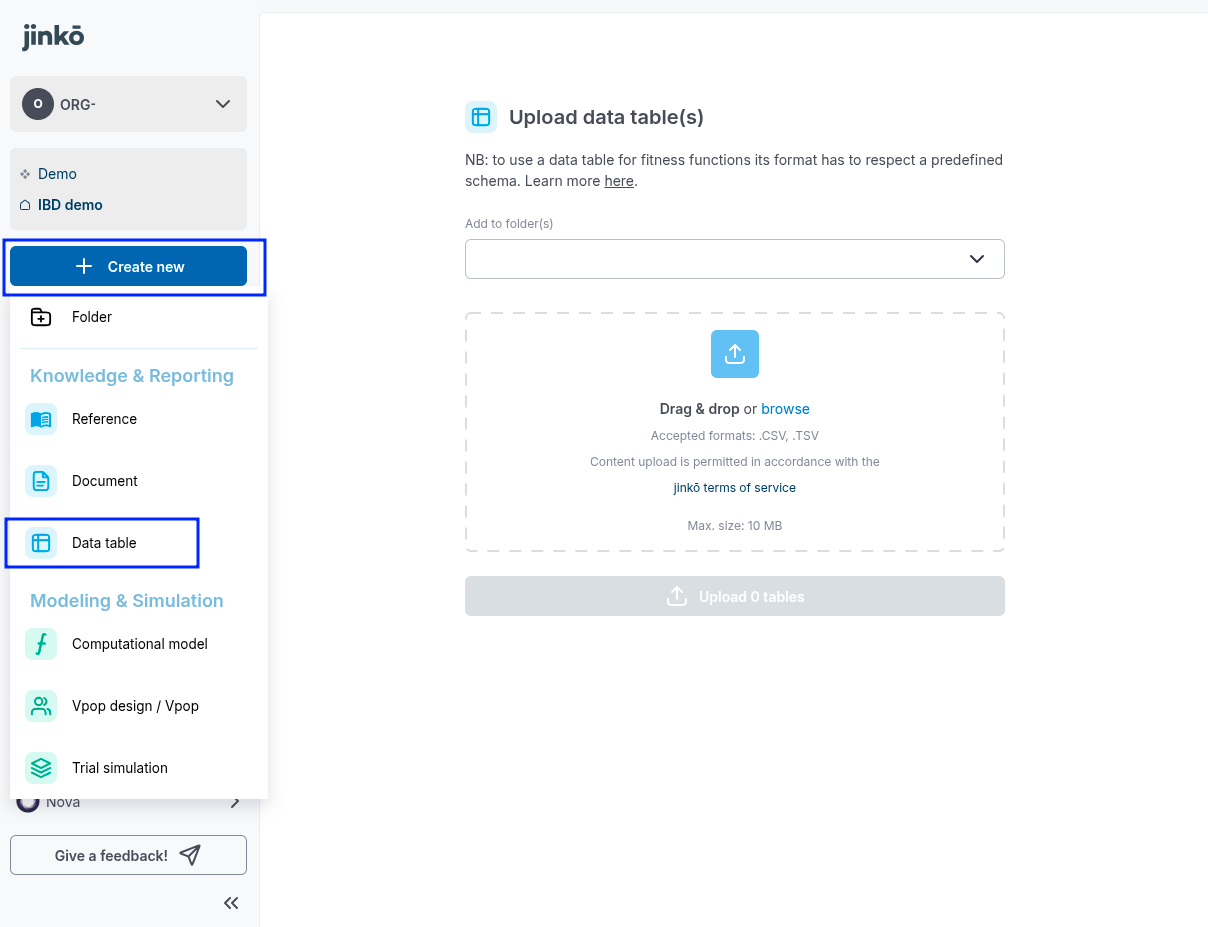
Uploading a Data Table from the main menu
Creating a Data Table from uploaded references, via AI extractions
It is also possible to create a data table by transforming data tables pictures from a PDF reference (or any document) uploaded in Jinkō, via AI extractions. You can learn more about this process in the Overview of AI integrations in Jinkō documentation.