Release notes: February 2026
This recap summarizes product changes released during February 2026, grouped by product theme.
Highlights by theme
Kohai
-
UX: Feedbacks on concurrent Kohai conversations in the background.
-
You can browse Jinkō while kohai works!
-
Ongoing background chat sessions are indicated with a loader.
-
Background chat sessions send a notification on completion and unread messages are indicated with a chip.
Computational Model
-
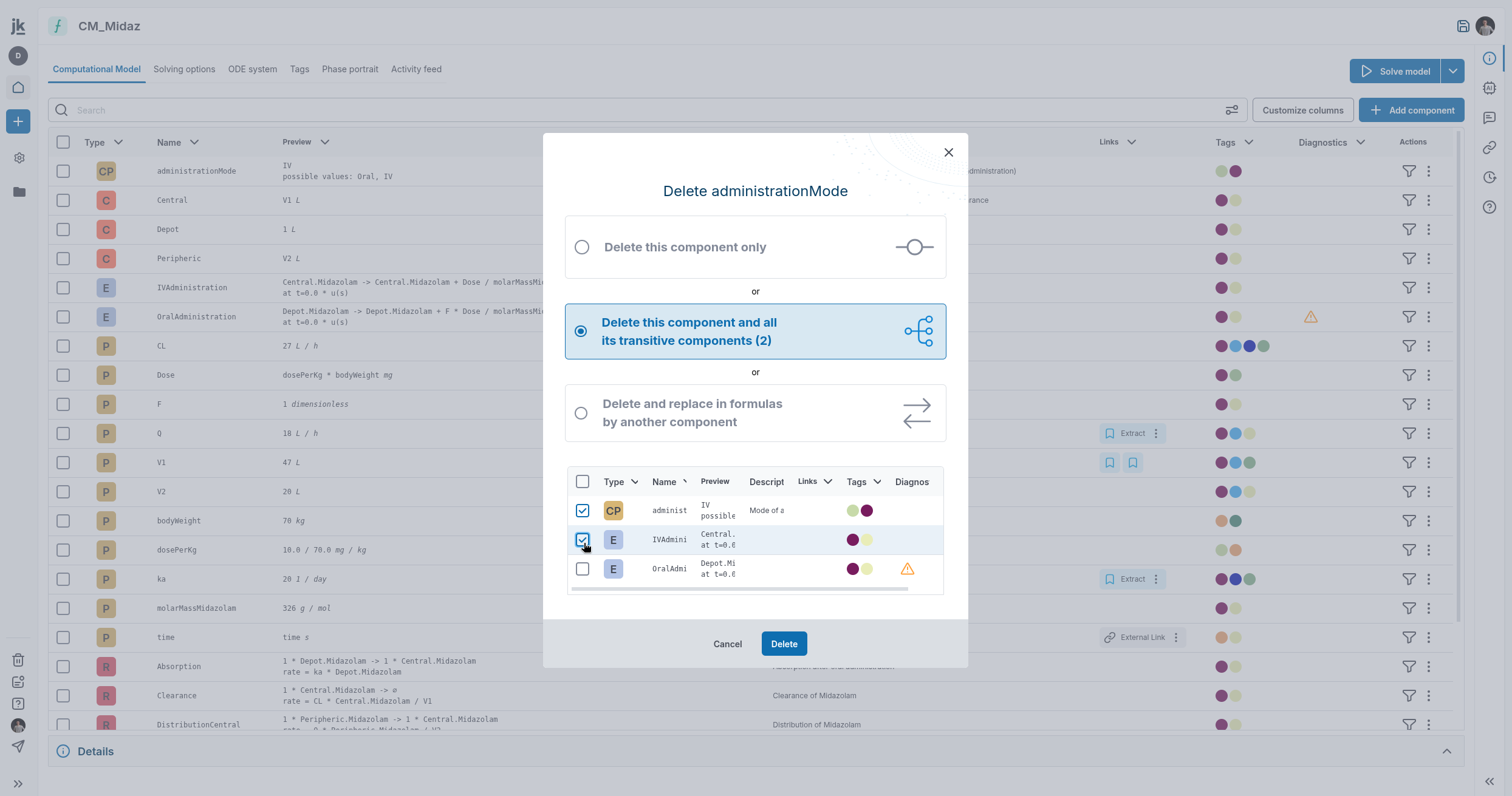
Feat: Add a selector with the transitive delete option.
-
In the context of CM component transitive deletion, you can now whitelist some components not to be removed.
-
Feat: Filters components when selecting them in the same way as in a CM.
-
Bug Fix: Disable automatic return in CM lines.
-
Fix a bug where a CM modification was resetting the table scroll to the top.
-
ME- Actions on columns (reorder, hide/ unhide...).
-
reorder CM table columns.
-
hide or unhide a CM table column.
-
Model combination with very long name has been fixed.
-
Activity feed for model combination feature.
-
Add an activity feed in Computational Model.
-
Filter by type by clicking on a type icon directly from the CM table.
Trial & Protocol
-
Feat: I want to upload a new protocol without removing the existing one.
-
In the context of selecting a protocol design to attach to a Trial/Calib, you can now directly upload a new protocol design file from the project item selector.
-
Feat: Copy an arm from a protocol to another.
-
You liked Model combo, you will love Protocol arms combo!
-
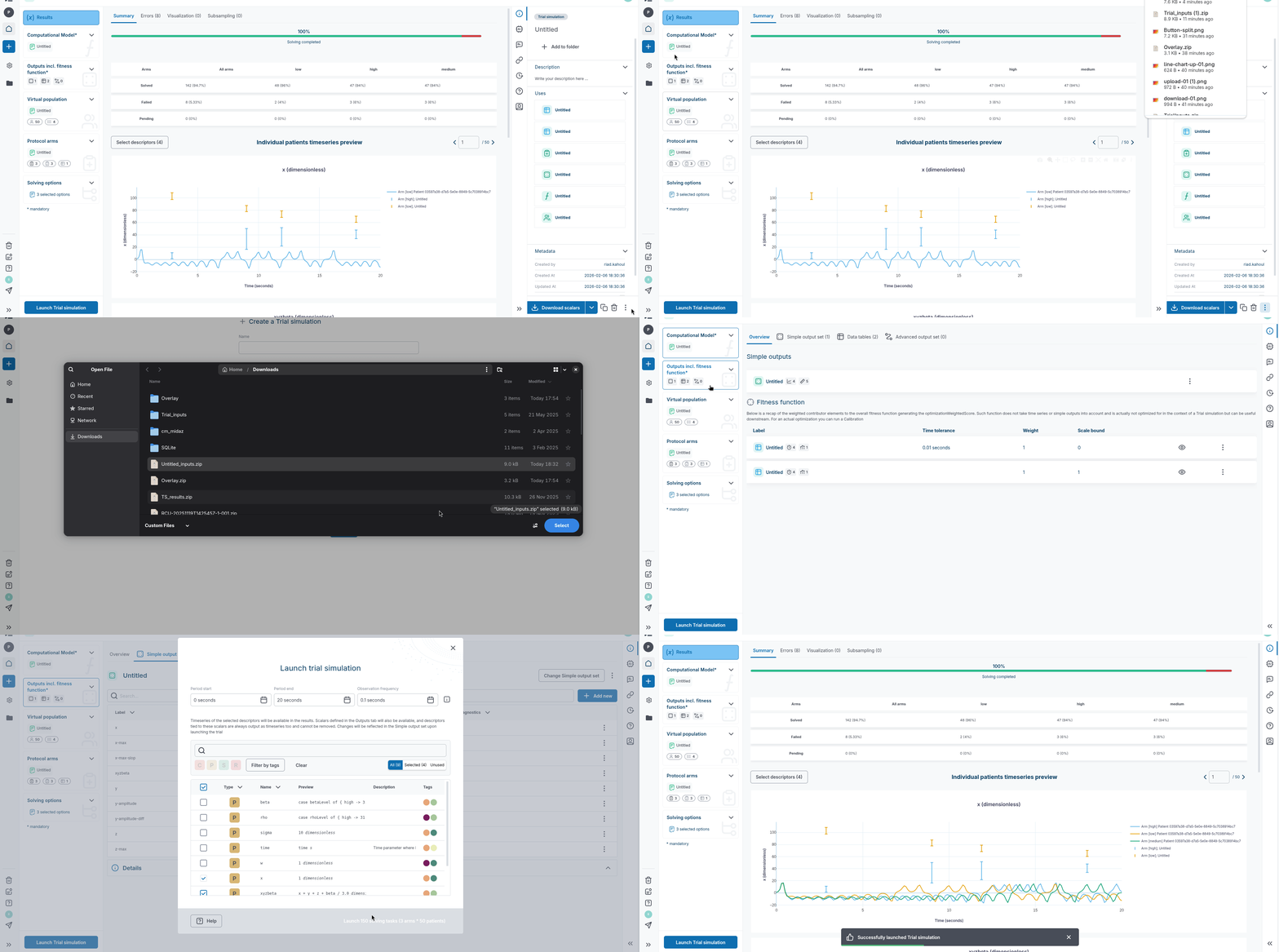
Improve visibility of calib/trial inputs download buttons.
-
Data tables are now downloadable as part of the Trial (and Calibration) inputs bundle.
-
Add a search in scalar selector dropdown for arms.
-
Add a search input in scalar selector dropdown for arms.
Trial Viz
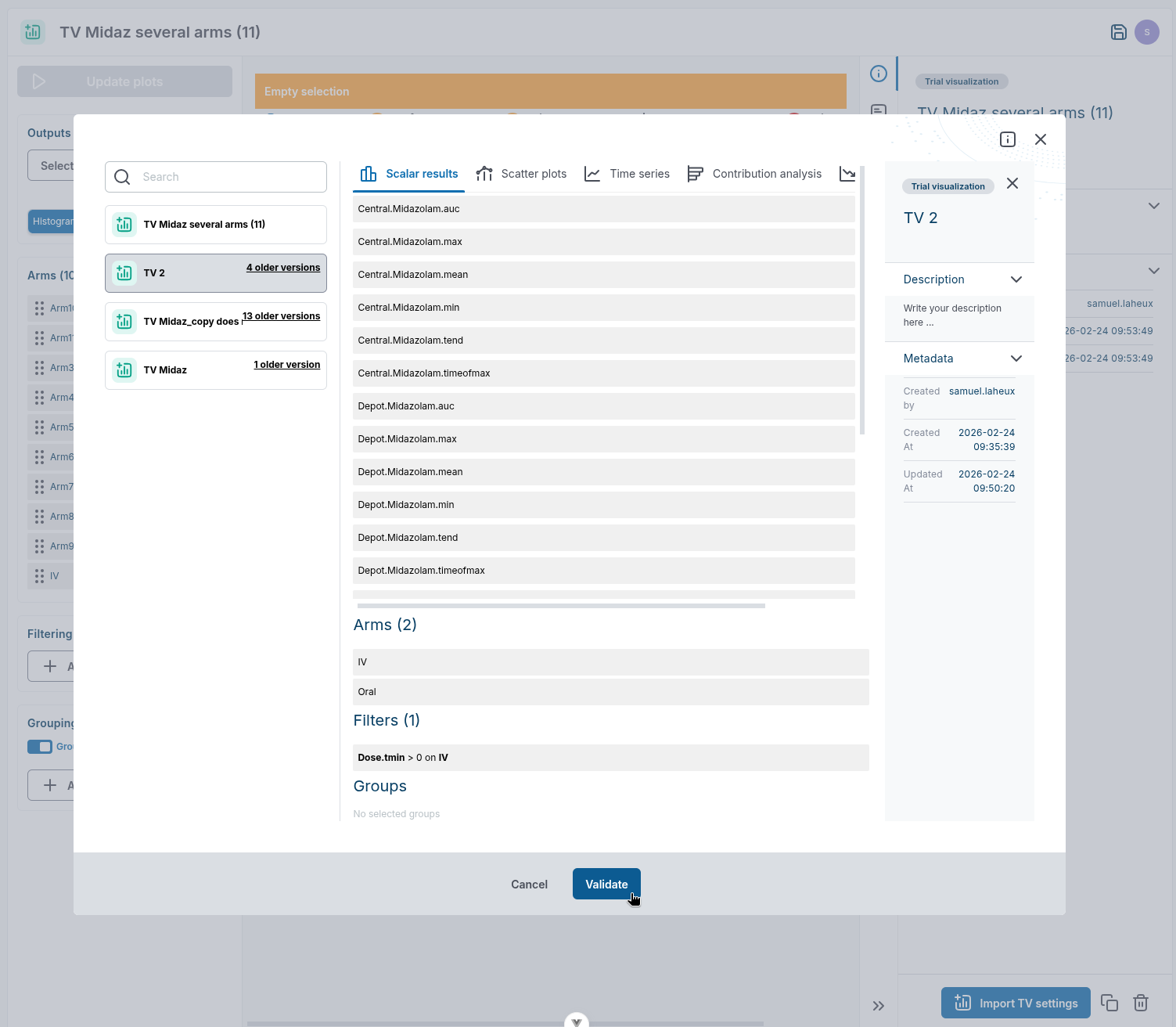
- Trial visualization preview is now available while selecting/importing settings from another TV.
-
ANALYTICS - VIS: improve the color palette UX.
-
Improve plot edition user experience while ensuring that users can only see and modify colors that are effectively applied to the current visualization, improving clarity and reducing unnecessary cognitive load.
-
ANALYTICS - TV: Ability for users to import and modify previous settings.
-
Ability for users to import settings from another Trial Vsualization. For now, Trial visualization preview is not available while selecting another config but it will come very soon.
-
ANALYTICS - VIS: Change line thickness in plots.
-
Add an option to change line width at tab level (for all timeseries plots for example).
-
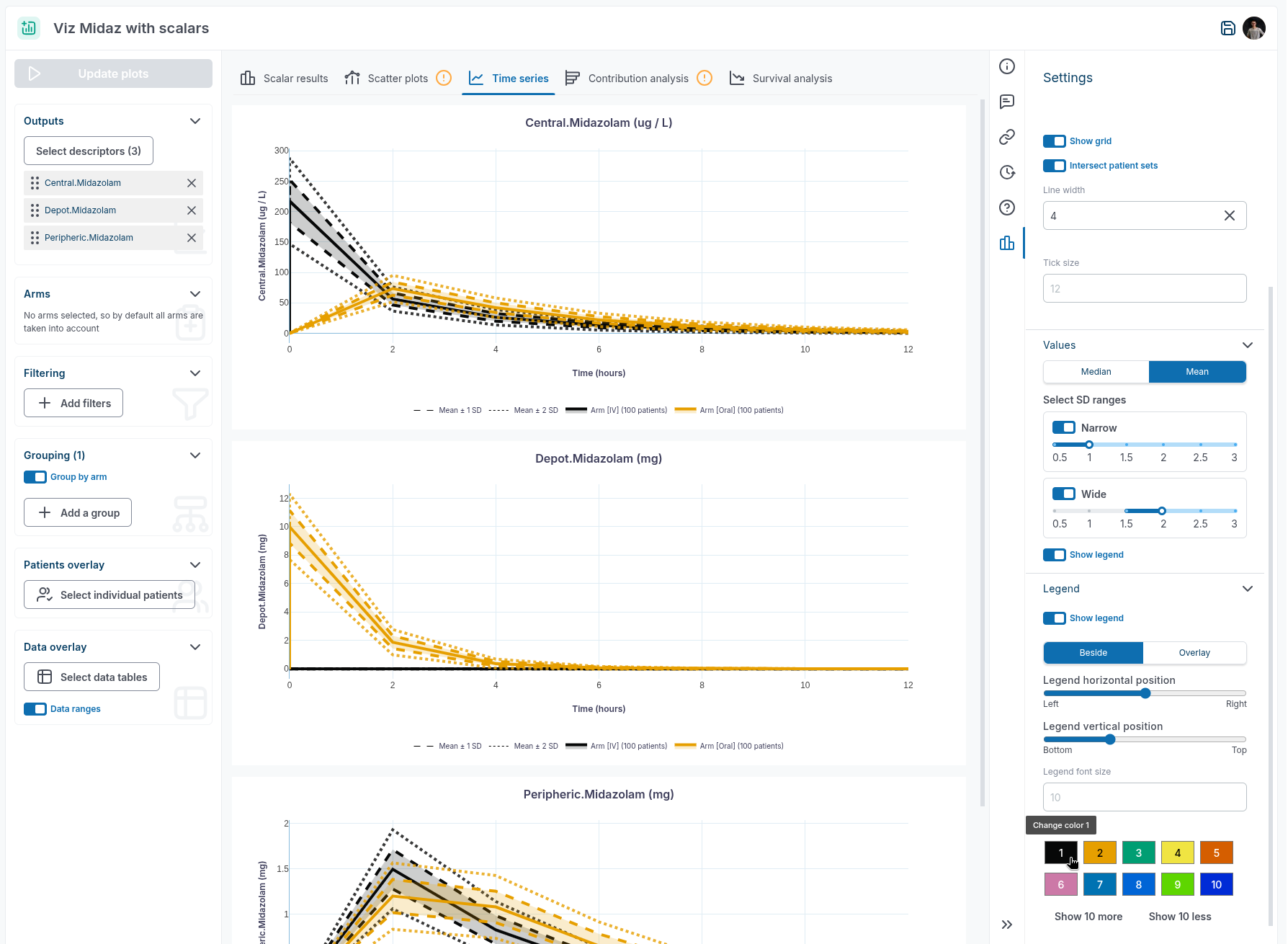
ANALYTICS - VIS: Edit colors of plots.
-
You don't like the blue in your plot? You can choose any color for each trace.
-
TV-Scalar-Plot: Bug Fix: Error bar values are swapped on hover in scalar plots.
-
Error bar values are not swapped on hover in scalar plots anymore.
Calibration
- In the context of selecting a protocol design to attach to a Trial/Calib, you can now directly upload a new protocol design file from the project item selector.
-
Improve visibility of calib/trial inputs download buttons.
-
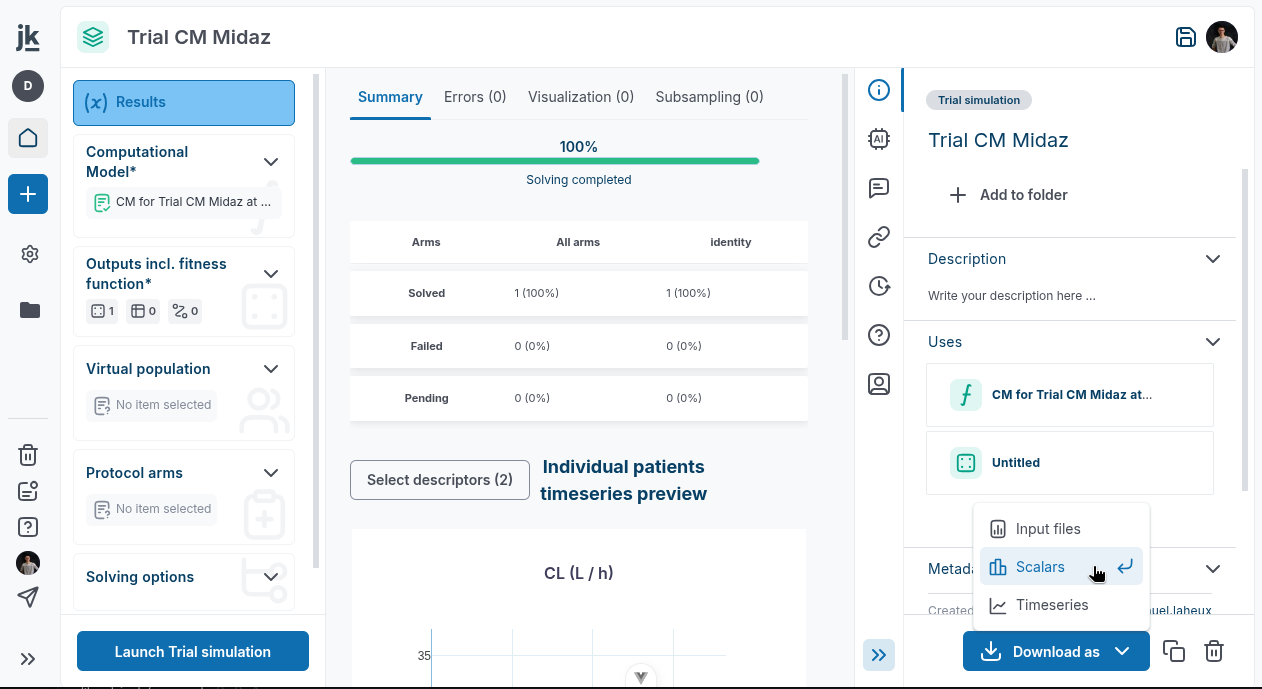
Enhance UX of trial download actions. Download inputs, download scalars (if any) and download timseries (if any) are in a single button.
- Data tables are now downloadable as part of the Trial (and Calibration) inputs bundle.
Subsampling
-
Subsampling V2 Leverage the law_estimate route to provide good starting point for the laws.
-
Subsampling design edition is now facilitated while initializing target laws with the best fit rather than staying empty. This makes it less error prone for the user to enter a non sensical law (more likely the case with log laws for instance).
-
Create a named version when combination is successful.
-
Automatically name the version when combo is succesful (no more conflicts).
-
Feat: Add ability to (de-)activate targets in subsampling.
-
Deactivate subsampling targets.
Vpop
- In the context of selecting components in a protocol or a vpop design, you can now click on a component tag to filter the table by this tag.
-
SD: show in the version history which versions have an associated sub-sampled vpop.
-
You can now see which versions of the Vpop Design or Subsampling Design generated Vpop(s).
Datatable
-
Bug Fix: Missing data overlay because of spurious whitespaces in data table.
-
The upload of data tables is more resilient to incorrect input data. More specifically, spurious whitespaces in the
obsIdcolumn are automatically trimmed to avoid missing data overlay because the observable is not parsed to an existing model output. -
Data-tables in Trial inputs bundle.
-
Data-tables are also imported when uploading a Trial inputs bundle, finally making the bundle a fully-fledged round-trip vehicle.
-
Note that the data-tables options (time tolerance, log scales and labels) are also part of the bundle. They are serialized in auxiliary json files and are read when importing the bundle.
Other
- Bug Fix: Create named version failed if name is GT 128 characters.