Release notes: March 2026
This recap summarizes product changes released during March 2026, grouped by product theme.
Highlights by theme
Kohai
-
feat: Kohai table - open in datatable.
-
feat: Kohai table - copy to csv.
-
feat: Kohai - Add a "Clipboard" button to copy messages output as markdown.
-
Kohai PoC: Session linked to several PIs.
-
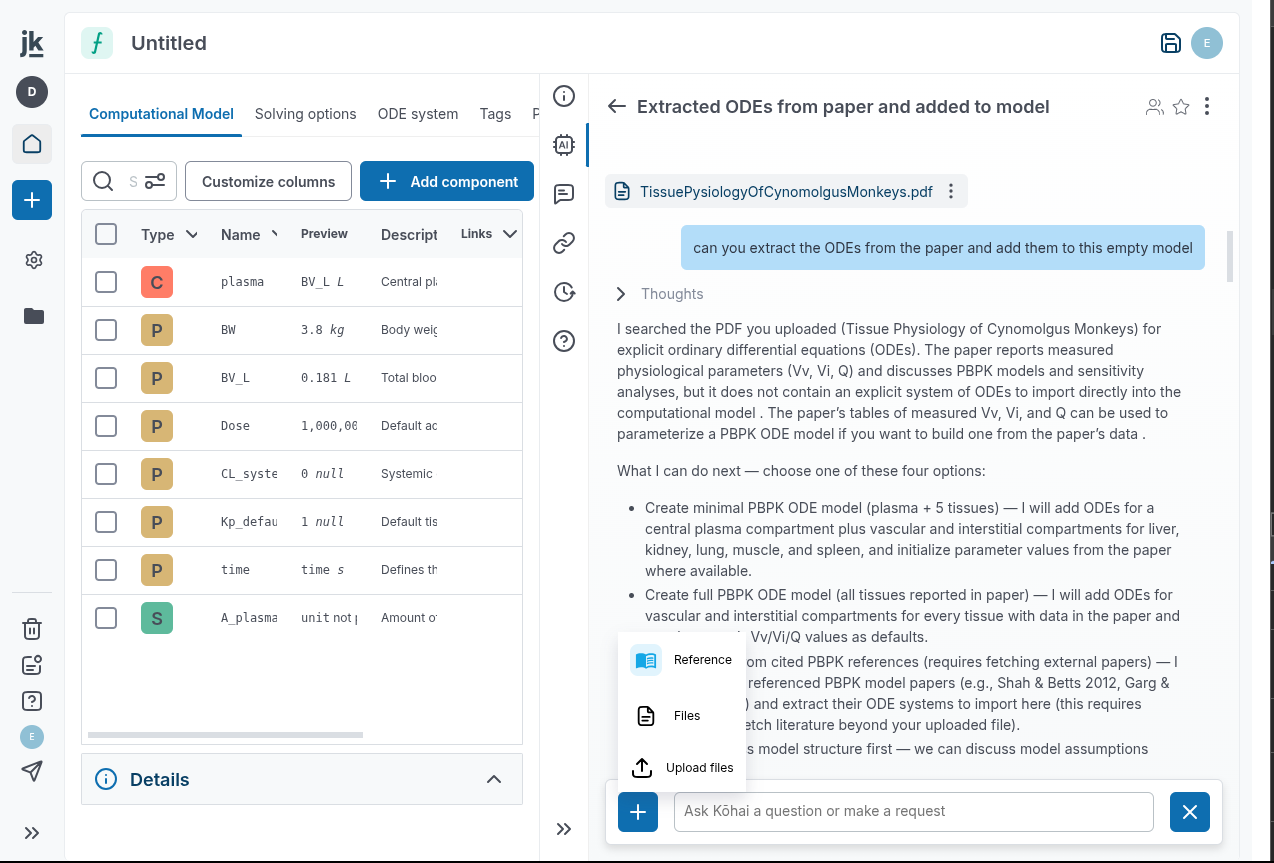
You can attach References or Raw files to your Kohai session, through the (+) button.
-
Kohai can scan a pdf, an image, read code files... to help you reason on them, extract data, update your model...
Computational Model
-
Bug Fix: Inferred formula value do not take unit into account.
-
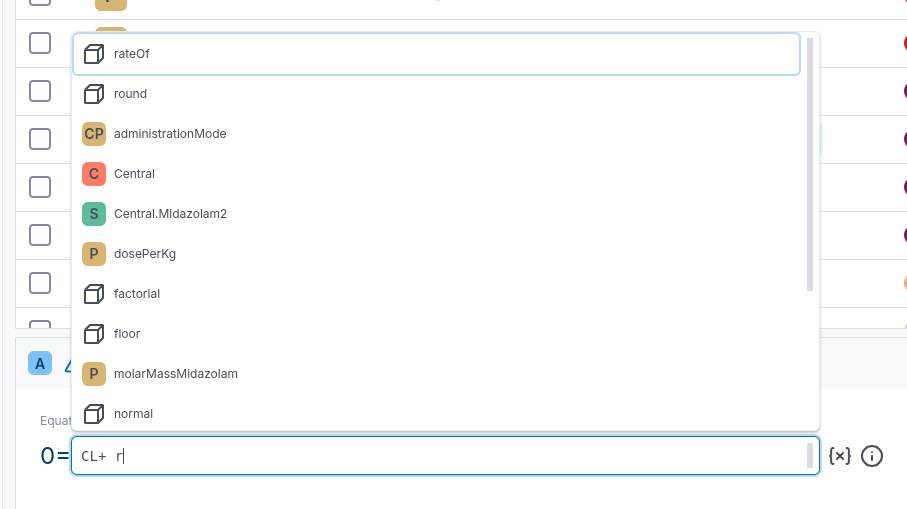
Auto-completion of constructors in CM formulas.
-
To facilitate the edition of formulas in the computational model, we have added auto-completion of the formula constructors.
-
Pre-selection of outputs that vary in time when solving a model.
-
When clicking the
Solve modelbutton, we automatically preselect every model component that vary in time (state variables of the model, and components that depend on the state variables) to be part of the outputs of the model.
-
Delete and replace a model component.
-
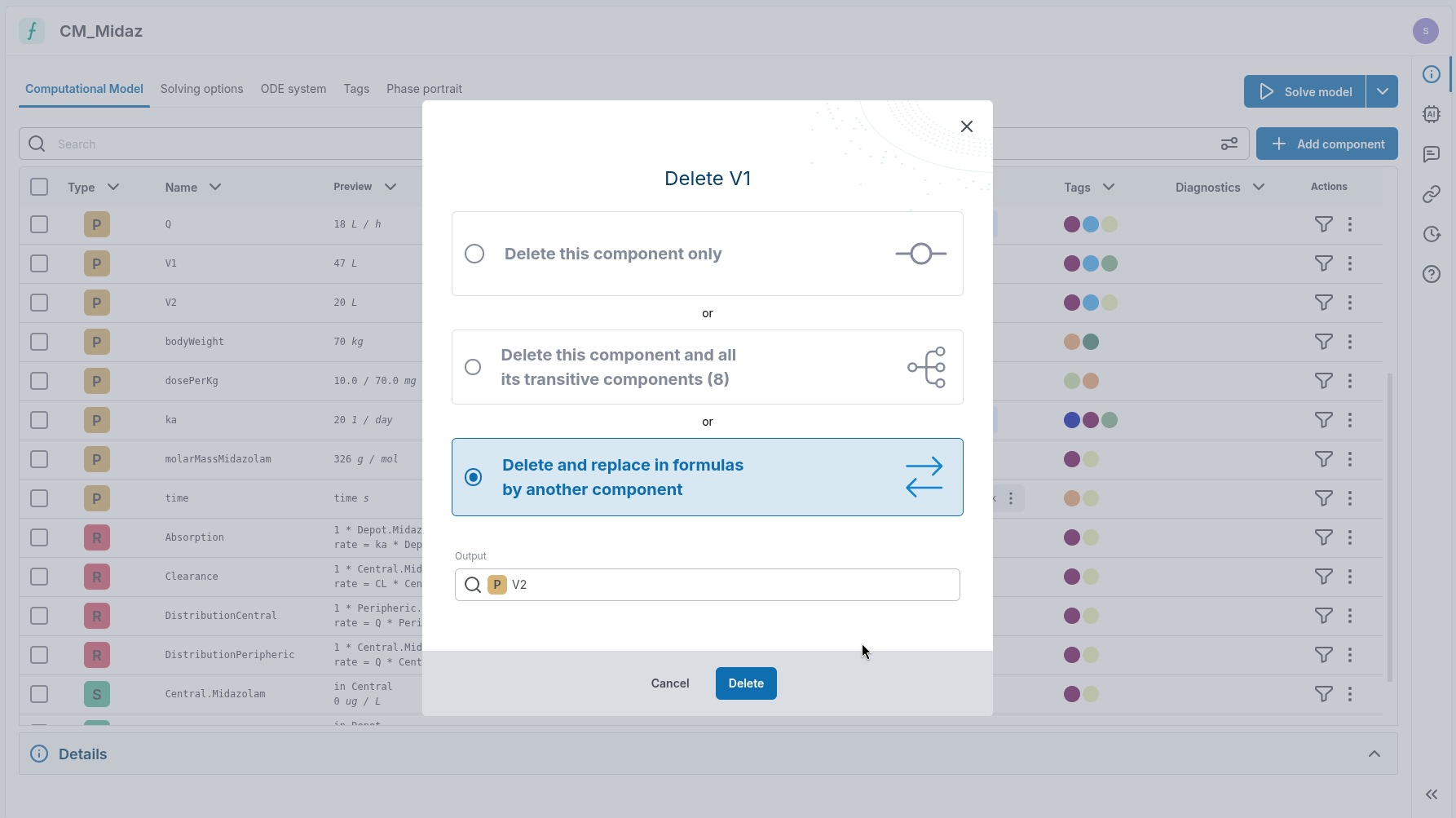
A new option to delete a model component has been added: Delete & Replace. It allows to remove a model component, and replace any reference to this model component by a reference to an other model component.
-
For instance, if a model defines two parameters for the body weight:
bodyWeightandbody_weight, you can easily replace of the two, and replace any occurrence to it by a reference to the other.
-
Expand formulas in ODE system view.
-
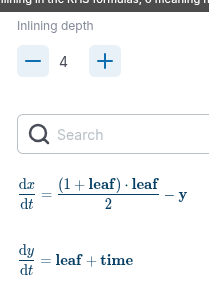
A new button adds the ability to inline the right hand side in the "ODE system" tab.
-
But what is inlining? If then inlining with depth=1 means the ODE for x becomes with depth=2 it's.
- By default, the inlining depth is set to 0 (so no inlining, which is the old behavior).

- The max depth is when all references have been inlined except for state variables and constant values.
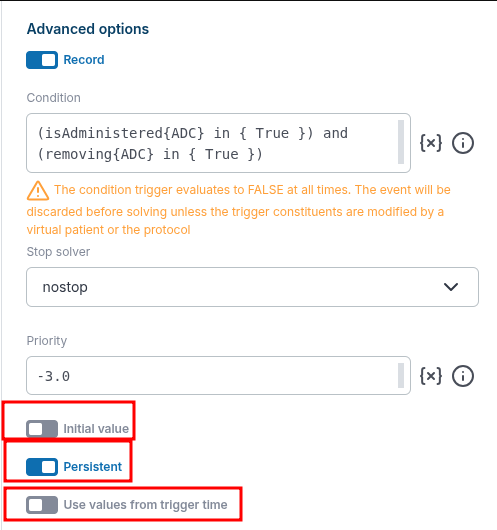
- Event advanced options: initialValue, persistent and useValuesFromTriggerTime.
-
Added three new Event attributes to model edition.
initialValue: Defaults tofalse. Whenfalse, the Event will trigger at simulation t0 if its trigger condition already evaluates to 'true' at t0.persistent: Defaults totrue. Whentrue, event is executed even if its trigger condition switches back tofalsebetween the time it is triggered and executed.useValuesFromTriggerTime: Defaults tofalse. Whenfalse, event updates are computed using the context values at trigger time, not execution time.
-
These are a bit technical, so please take a look at the corresponding SBML documentation for more details and examples.
-
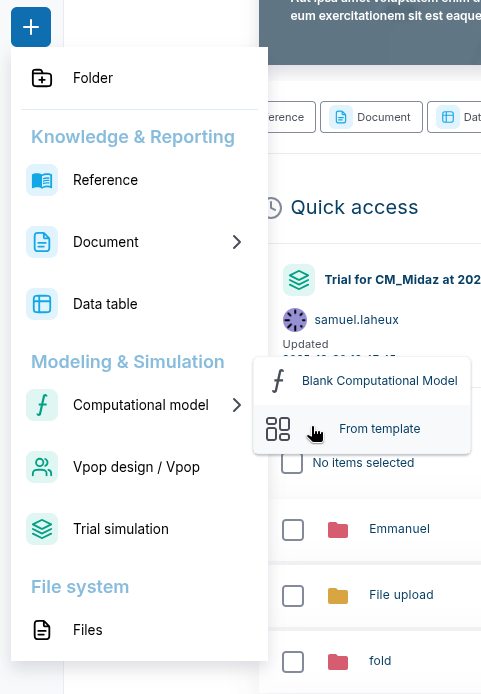
Model template.
-
We can now define templates for computational models. Any existing CM can be turned into a template, and reused to initialize a new CM.
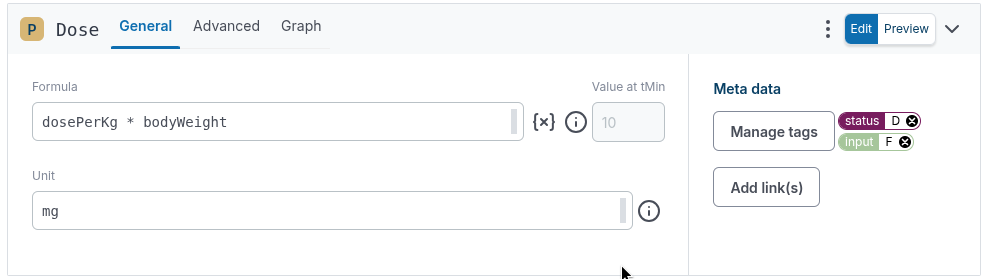
- Show numerical value at tmin for model formulas: If the value is a formula, display the numerical value at tMin. It is available for Parameter, Species, Compartment, Ode right side, and general reaction rate.
-
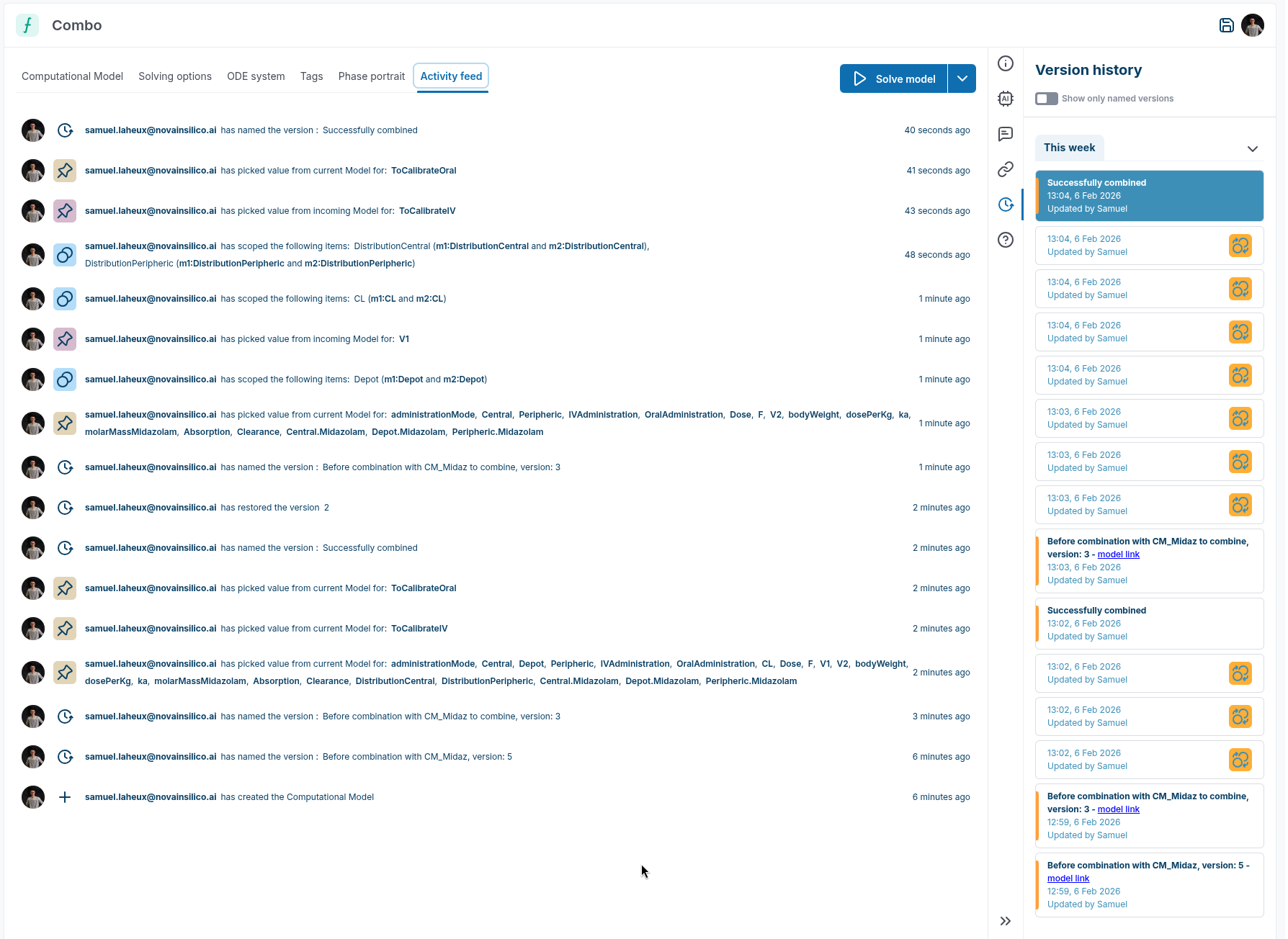
Activity feed in computational model.
-
The computational model now has a new activity feed tab, where all user actions are summarized. Updated components are clickable and take you back to the model.
-
Quick filter by component type in computational model.
-
Filter by component type by clicking on any type icon directly from the CM table.
-
Customization of computational model table.
-
The computational model is now customizable. In particular, you can: re-order the columns, and decide which columns should be displayed.
-
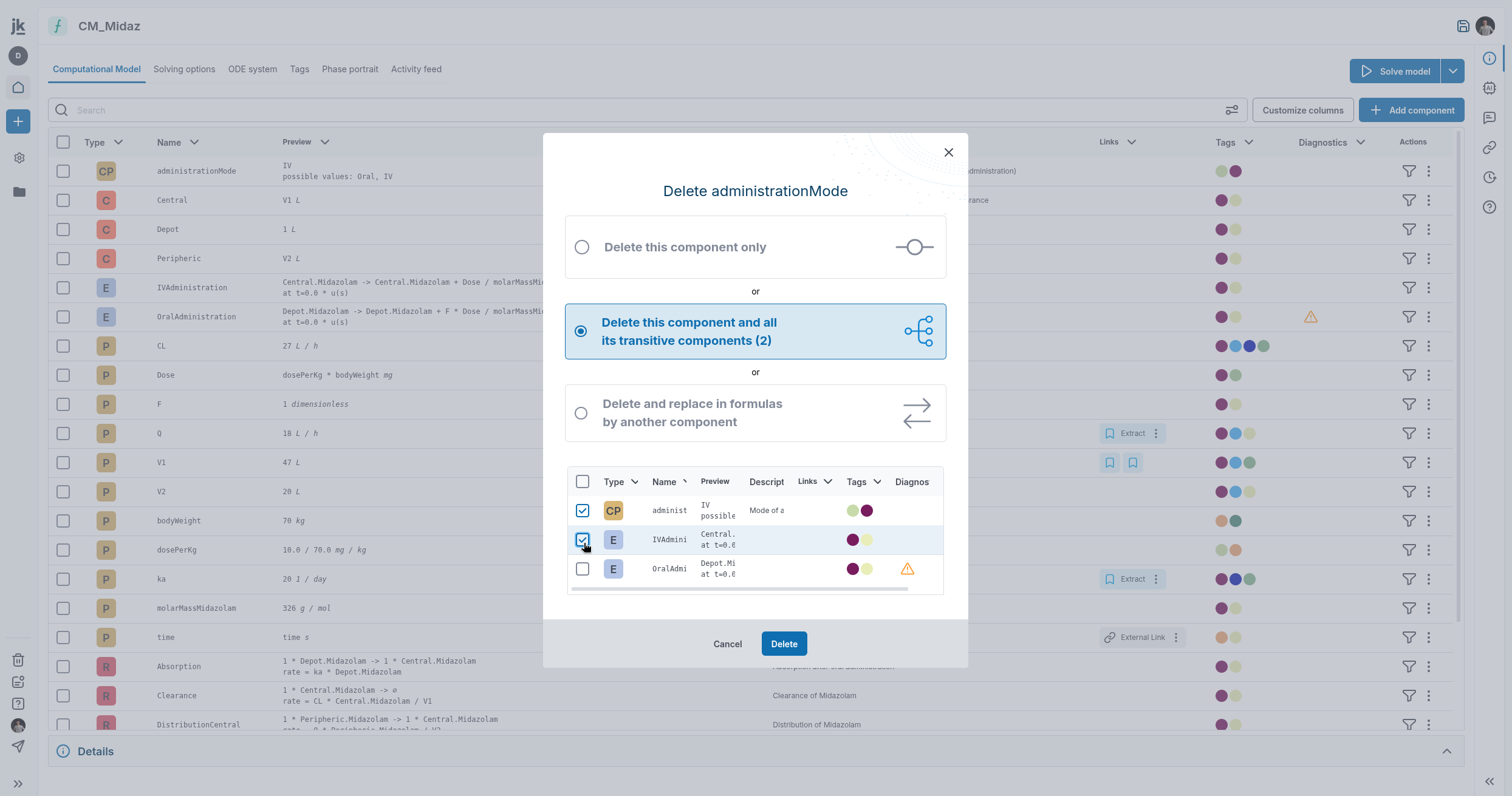
More fine grained transitive deletion.
-
In the context of CM component transitive deletion, you can now whitelist some components not to be removed.
-
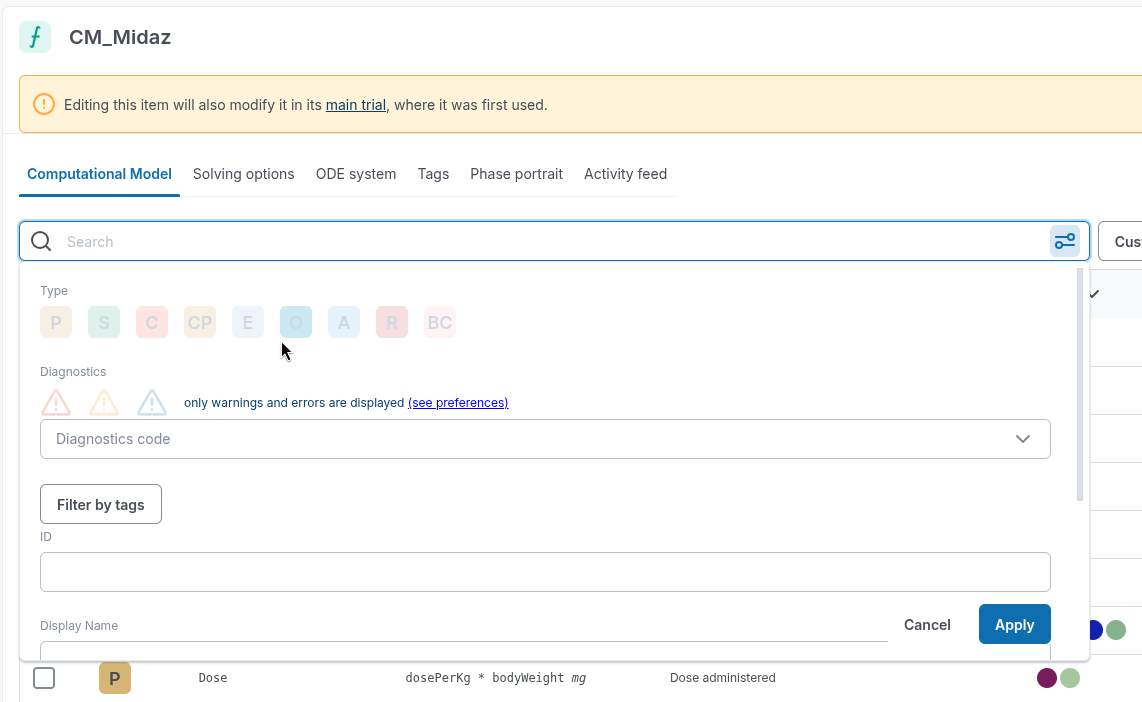
Feat: CM Search Bar - Important things are at the bottom.
-
CM advanced search order changed to be more aligned with what is the most used.
-
Improving the model result deserialization logic.
-
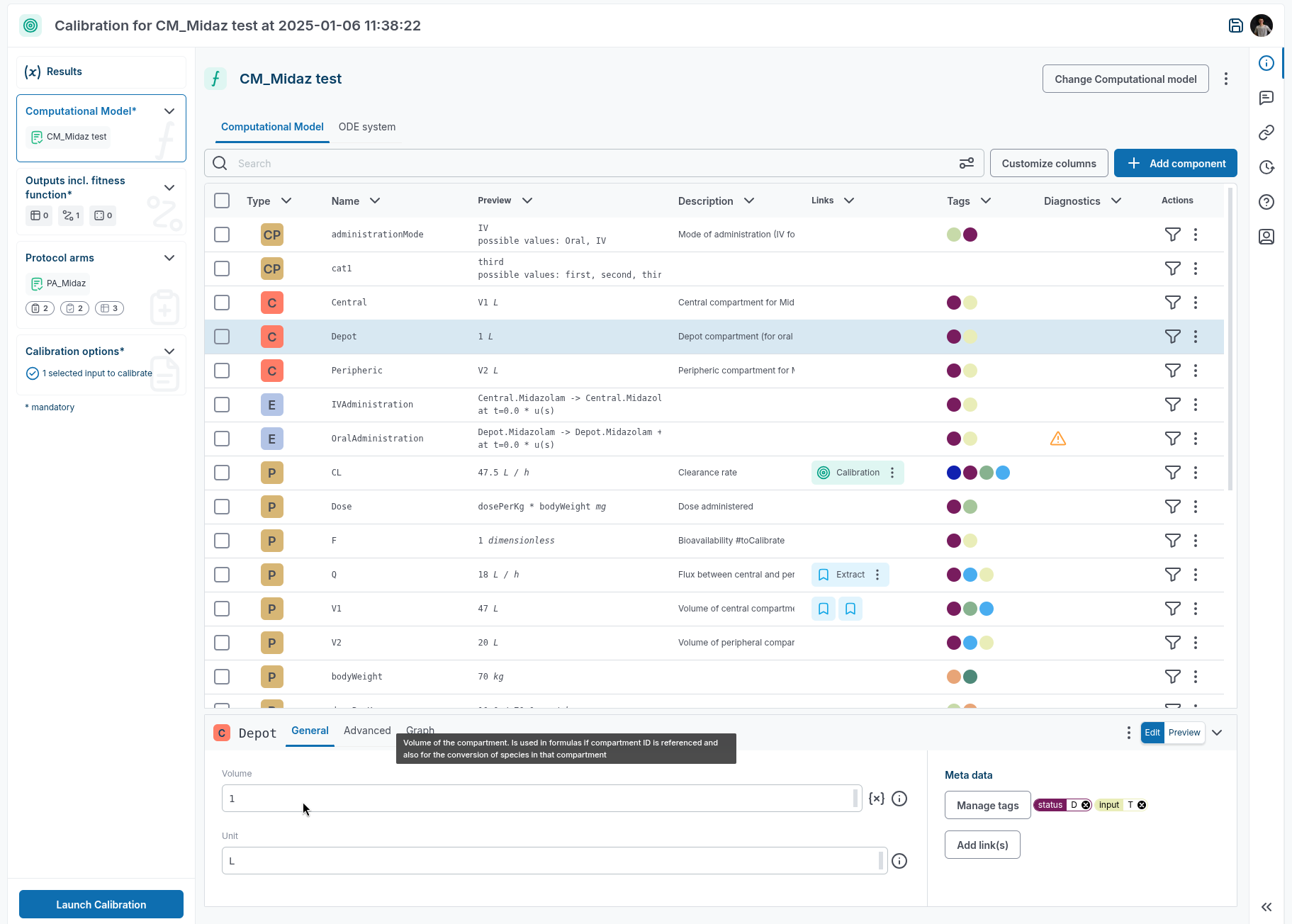
Computational Model compartment volumes are not editable in Calibration anymore.
-
Bug Fix: Do not try and evaluate value at tmin if it does not unit check.
-
Do not try to evaluate at tmin if there is a diagnostic error.
-
Bug Fix: Select descriptors automatically going back to 10.
-
Selected descriptors for monitoring are now persisted as long as you did not leave the Trial page.
-
Bug Fix: CM diagnostics: Infos are displayed even when we have only warnings and errors.
-
Diagnostic severity display for Computational Model components has been fixed.
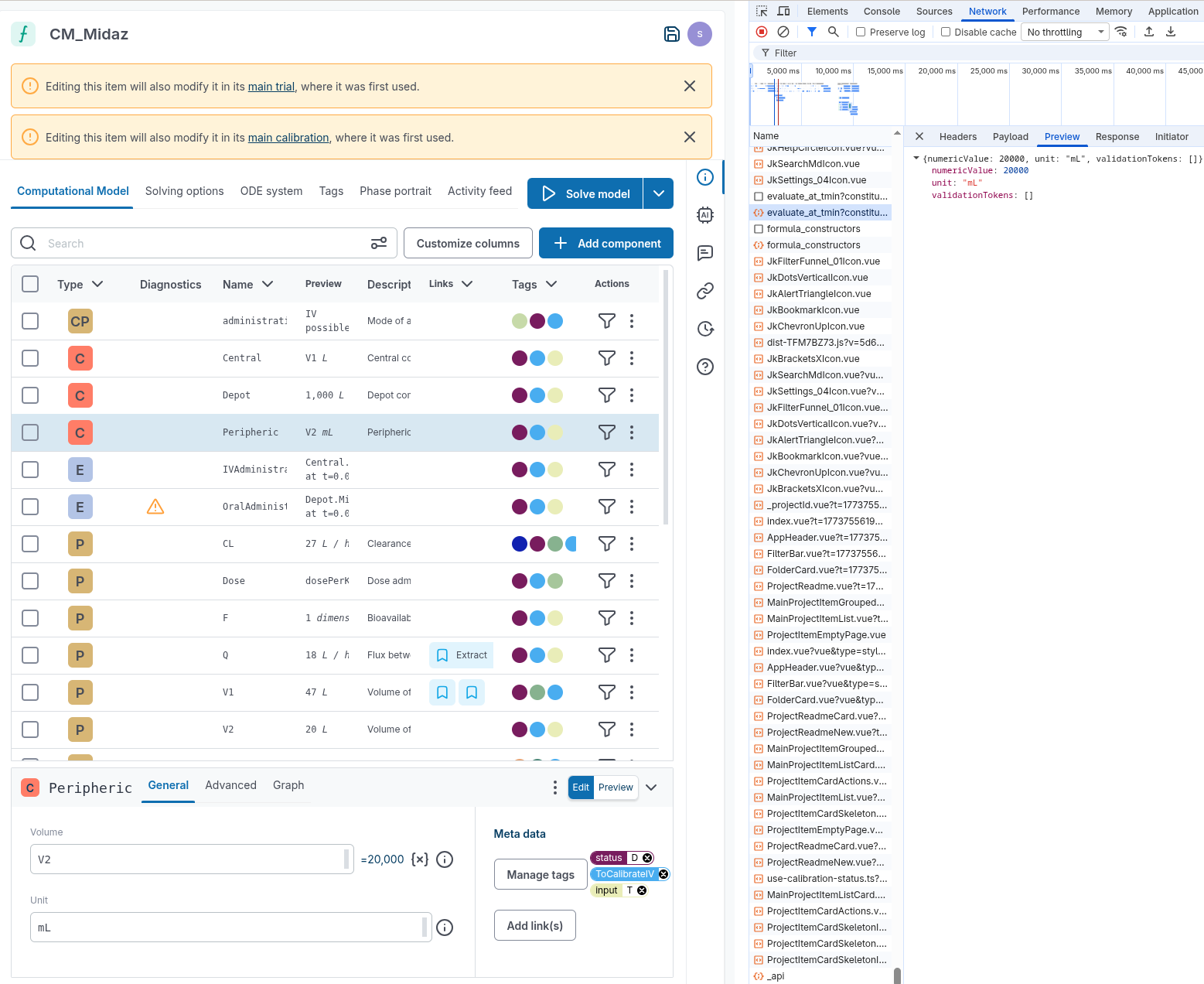
- The inferred value at tMin is now returned in display unit. Here if the display unit is
mL, the returned value is20 000; if the display unit isL, the returned value will be20.
Trial & Protocol
-
Feat: Default view for protocol persistent.
-
Protocol display layout is now persisted at the user device level.
-
Protocol arm values bulk edition does work after a protocol arm combo.
-
Fix the ability to bulk edit protocol arm values after a protocol arm combo.
-
Make a trial the main trial (same for calib).
-
You never understood why your Protocol was not editable in a Trial/Calib context because of the following "This is a read-only item, as it is used in another trial. Create a copy to make it editable". You are now able to
Edit heredirectly in any Trial/Calib.
-
Feat: Red flag location is confusing when maximum number of timepoints is reached.
-
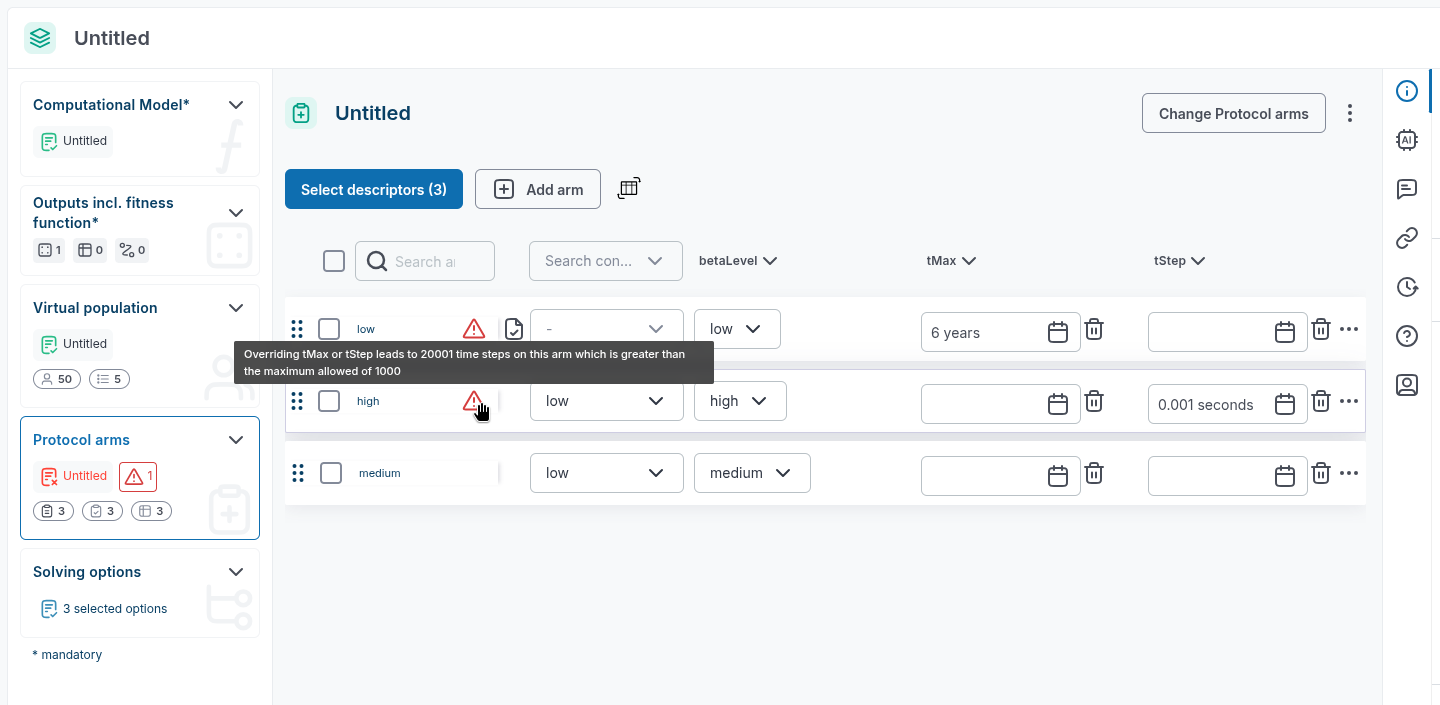
Added diagnostics at the arm level where some protocol arms override tMax or tStep and therefore violate the max num steps rule.
-
This typically happens when X is a baseline input (available for each sampled patient), and Y is an output (for instance the weighted score, which might not be available if solving fails, or the evaluation of one scoring fails).
-
We now always return the same number of values for X, and Y, and that value is
nullif the scalar is not available. This ensures that we can properly re-match the value for X with the corresponding value for Y. -
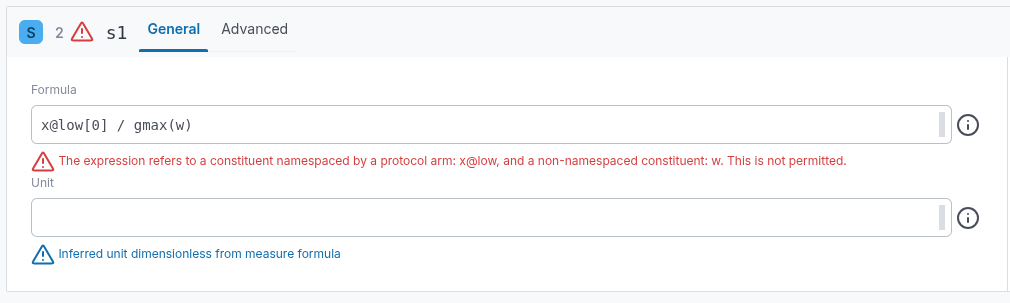
A new diagnostic for advanced outputs formulas which refer to both a namespaced constituent (ie suffixed by a protocol arm name) and a non-namespaced constituent.
Trial Viz
-
Bug Fix: Cannot change tick count in Trial Viz.
-
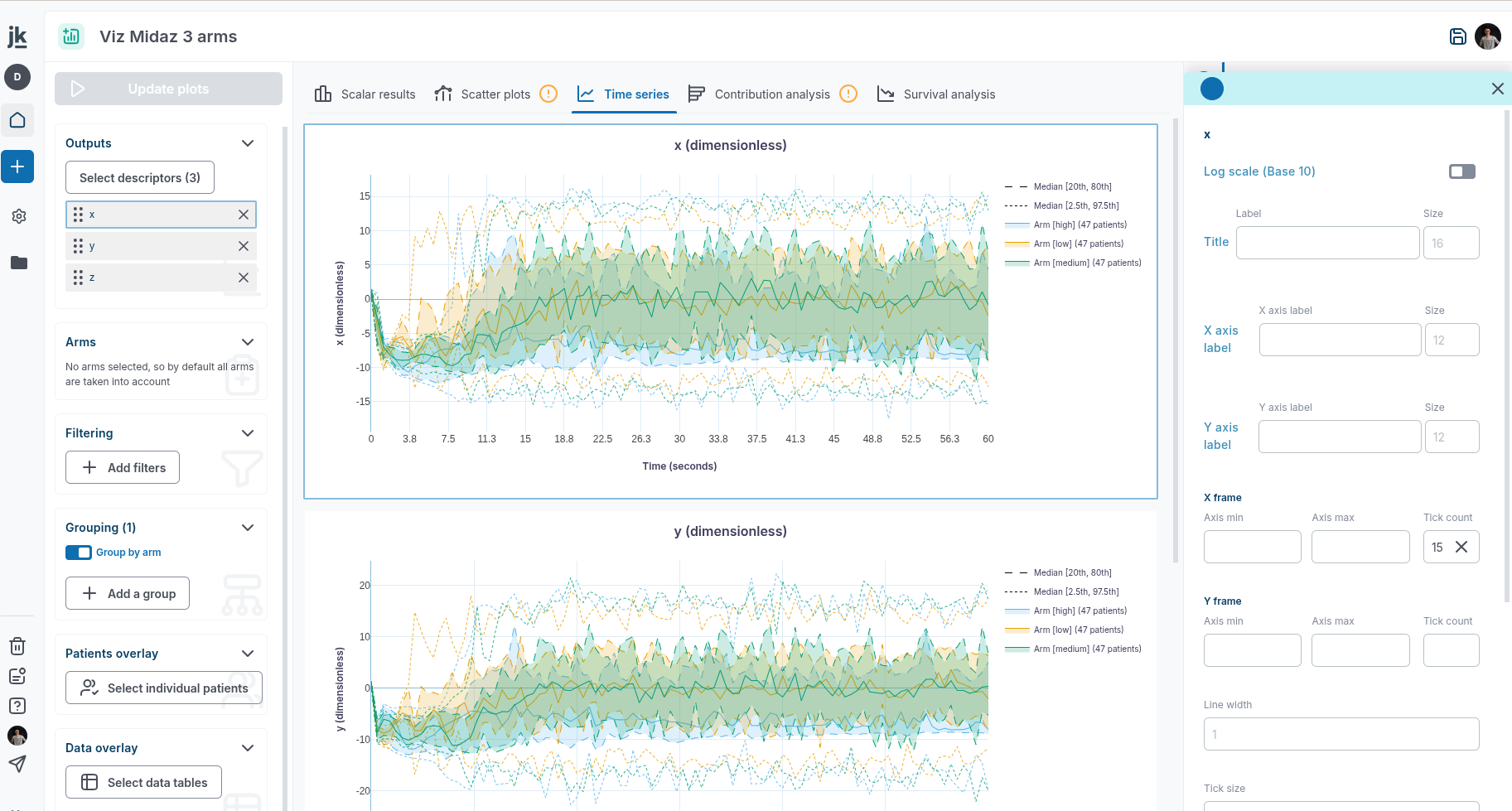
Fix the bug regarding tick count in timeseries plots.
-
The loading of timeseries was improved thank to a more fine grained json parser. As a result, a few standard operations are now faster.
- For timeseries aggregate, between 2x and 5x faster (depending on if equate baseline is turned on).
- Timeseries download: 2x faster.
- Errors retrievals: up to 10x faster.
-
Bug Fix: Time scale unit is not persisted in TV (Time series tab).
-
Time scale unit is now persisted in the Trial Visualization.
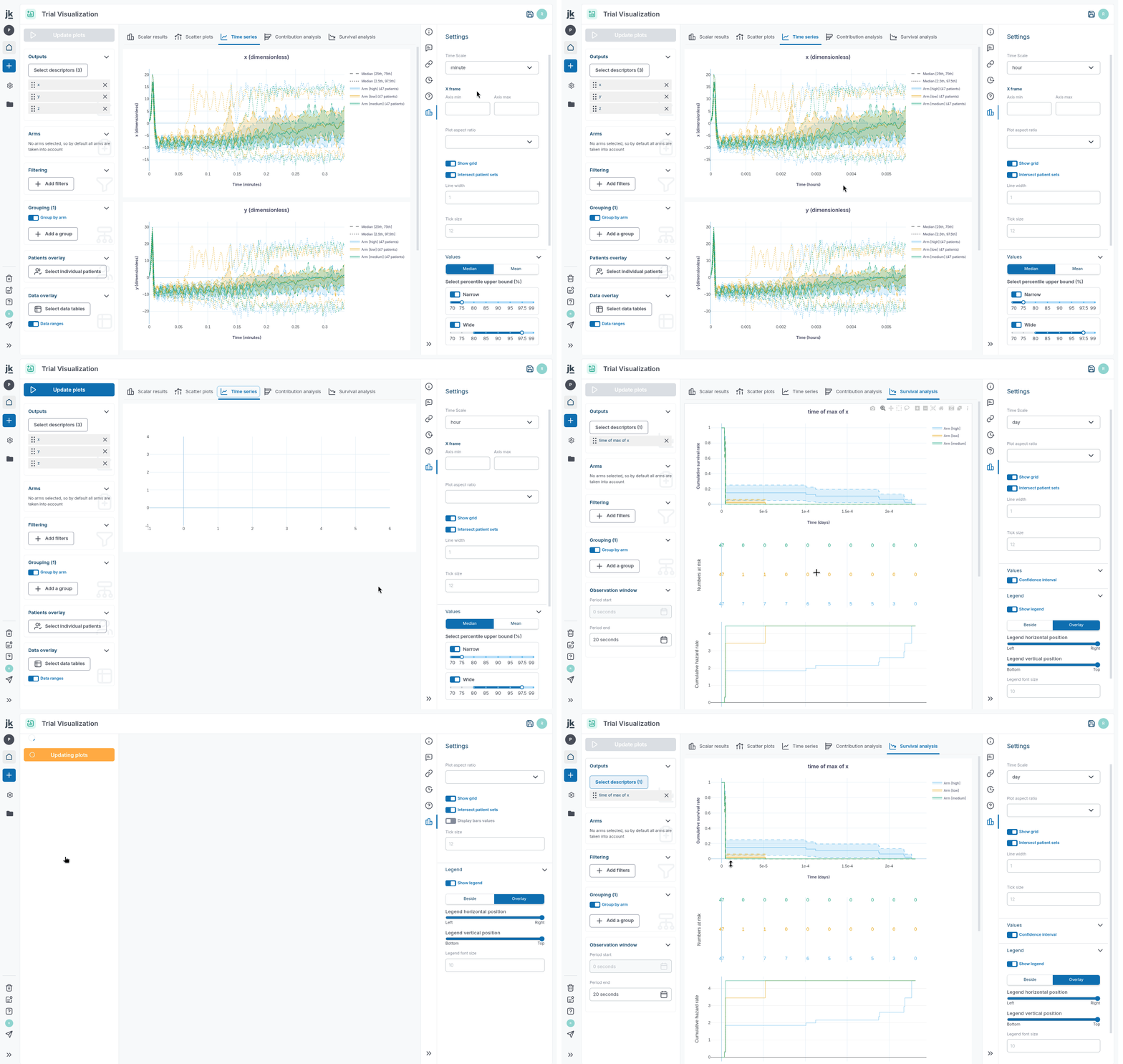
- Error diagnostic when advanced output refers to both namespaced and non namespaced timeseries.
Calibration
-
Make a trial the main trial (same for calib).
-
You never understood why your Protocol was not editable in a Trial/Calib context because of the following "This is a read-only item, as it is used in another trial. Create a copy to make it editable". You are now able to
Edit heredirectly in any Trial/Calib.
-
Bug Fix: Changing X or Y axis in calibration results scatter plots makes the page crash.
-
X-Y scatter plots are now fully fixed in the calibration monitoring page. We used to display incorrect data in case we had different number of values for the X scalar and the Y scalar.
Subsampling
- Timeseries aggregate point subsampling and windowing.
- Timeseries aggregate are now subsampled (by default to 100 timepoints), leading to faster aggregate plots. Future release may introduce an option in the front in order to select the subsampling level.
- Timeseries aggregate can now be computed on a reduced time window. Future release may introduce an option in the front in order to change the timewindow (default to the whole trial).
- These changes, amongs a few other, improves timeseries performance by 2x.
Document
-
Markdown tables rendered in conversations with Kōhai can be exported as data tables.
-
Markdown tables rendered in conversations with Kōhai can be copied as CSV.
-
User messages and Kōhai responses can be copied as markdown.
Sources
-
Feat: Automatically bring to assertion.
-
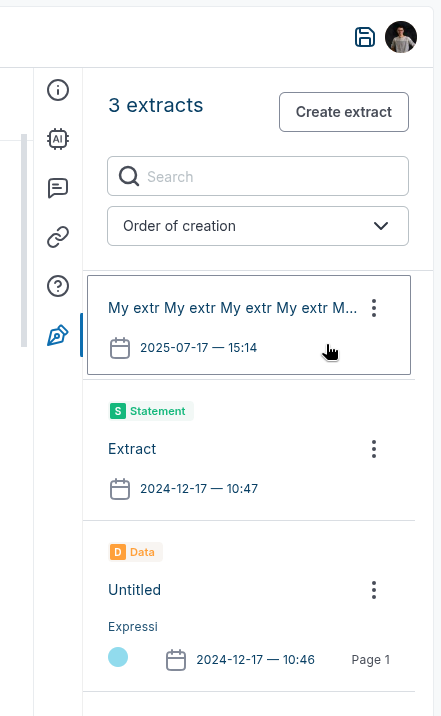
Scroll to extract card in panel once clicking on the extract from the Reference.
- Kohai can scan a pdf, an image, read code files... to help you reason on them, extract data, update your model...
-
Bug Fix: Long assertion names hide the "edit button".
-
Very long extract names are now ellipsed in order not to hide the action button.
Navigation
-
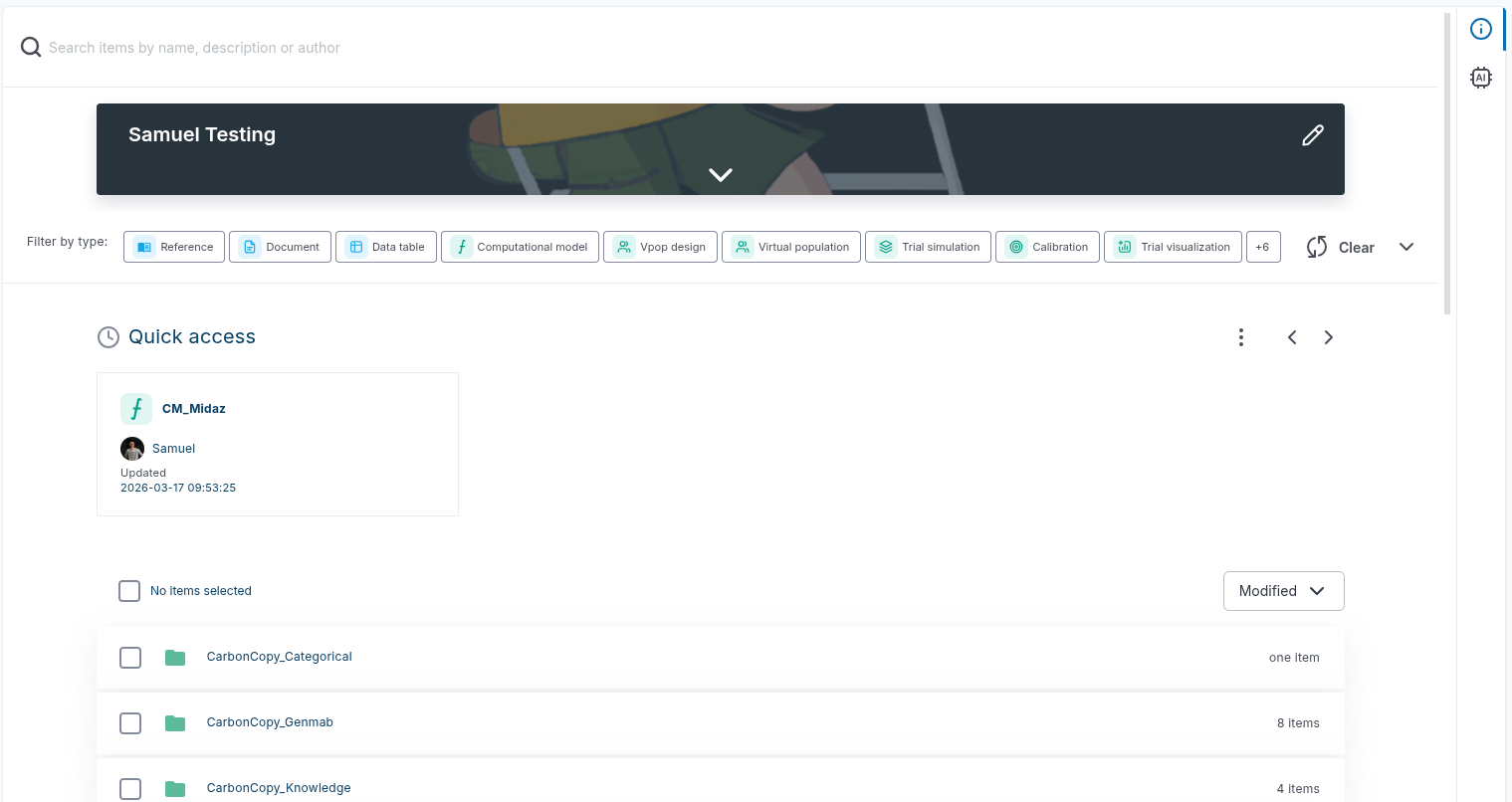
Project readme disappeared.
-
Fix the display of project readme.
Org & auth
-
Feat: Add a search bar in the "add Member" menu in project or group.
-
Add a search bar in the "Add Member" selector in group or project.