Versioning and change management
Jinkō's versioning and change management features allow you to track changes in your projects, manage different versions of your content, and ensure that your team is always working with the most up-to-date information. This is crucial for maintaining the integrity of your projects and ensuring that all team members are aligned.
Browsing and restoring versions
Every item in Jinkō has a version history that allows to see all changes made over time. You can browse through these versions, compare changes, and restore previous versions if needed:
- Click on the 'clock' icon on the right sidebar for any item to access its version history and browse versions (note that some icons on the versions provide cues on the state of a given version. For instance below, in the context of a trial editor, versions that have been simulated are accompanied by a visual cue).
- You can restore a previous version by clicking on the 'restore' icon next to the version you want to revert to. Doing so will create a new version based on the selected one, allowing you to keep track of changes while reverting to a previous state.
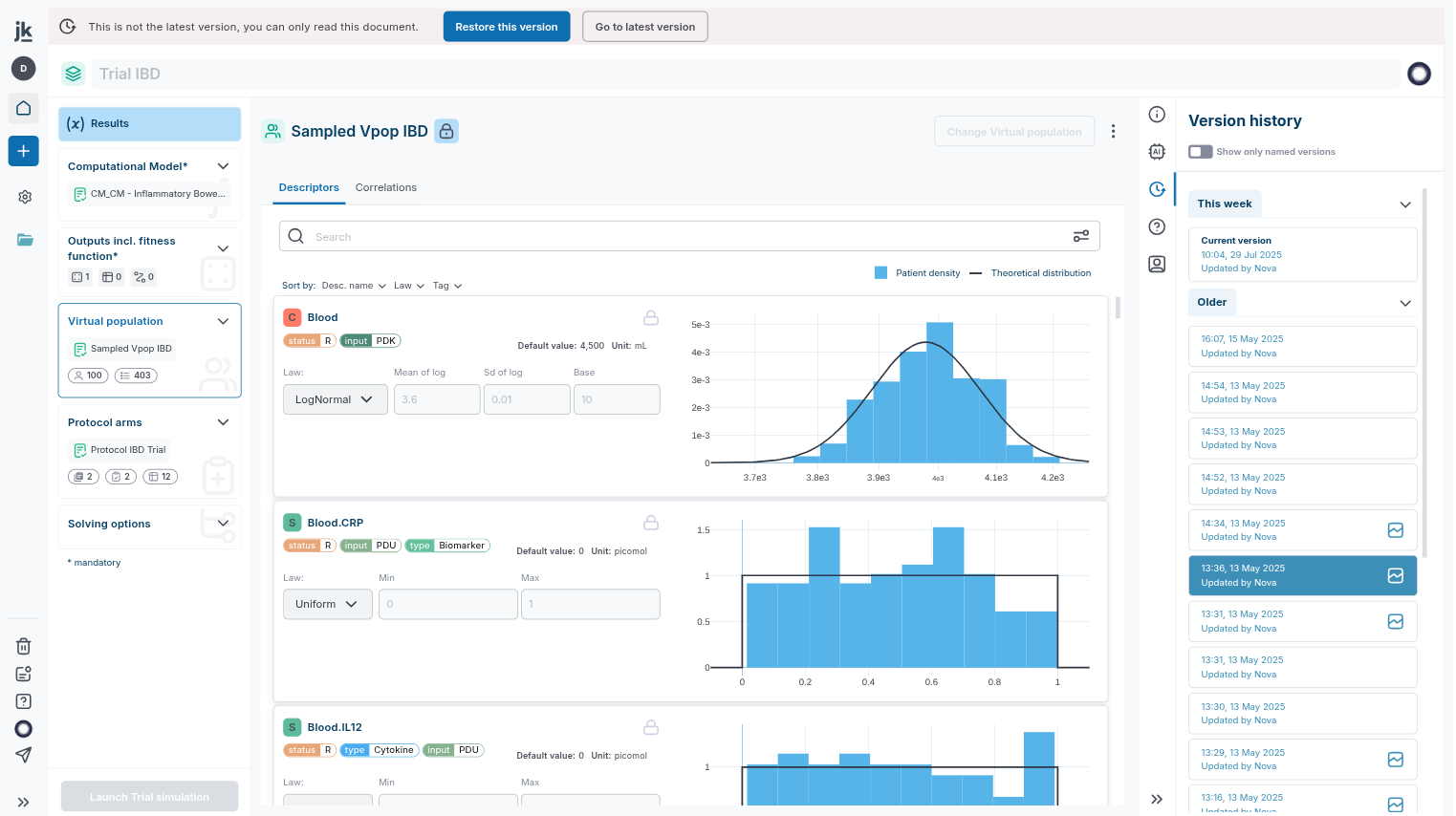
An example: versioning in the trial editor allows to track changes made to a trial setup.
More granular differences visualization for models
Models in Jinkō also offer alongside versions browsing a more granular differences visualization, allowing you to see exactly what has changed between two versions of a model. This is particularly useful for understanding the impact of changes made to the model structure or parameters. To activate model diff, click on a version sub-menu and move select 'Compare versions'.
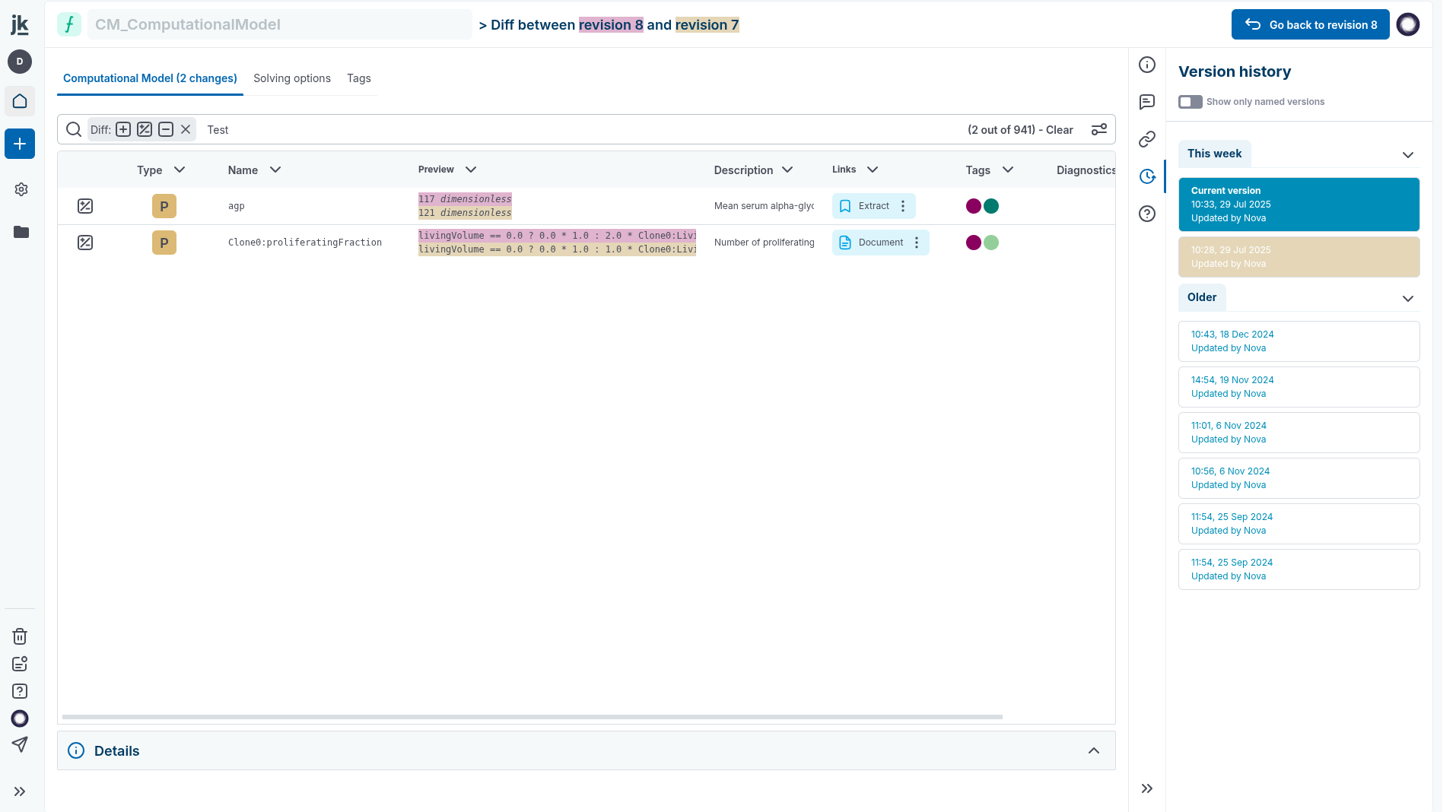
Versions comparisons in the model editor.
Specific versions control in the trial and calibration editors
As the trial and calibration editors encapsulates various items (and their versions) created in the course of a modeling and simulation project (models, virtual populations, etc. that can be edited elsewhere in the project), it also displays specific warning to users if the source version has changed.
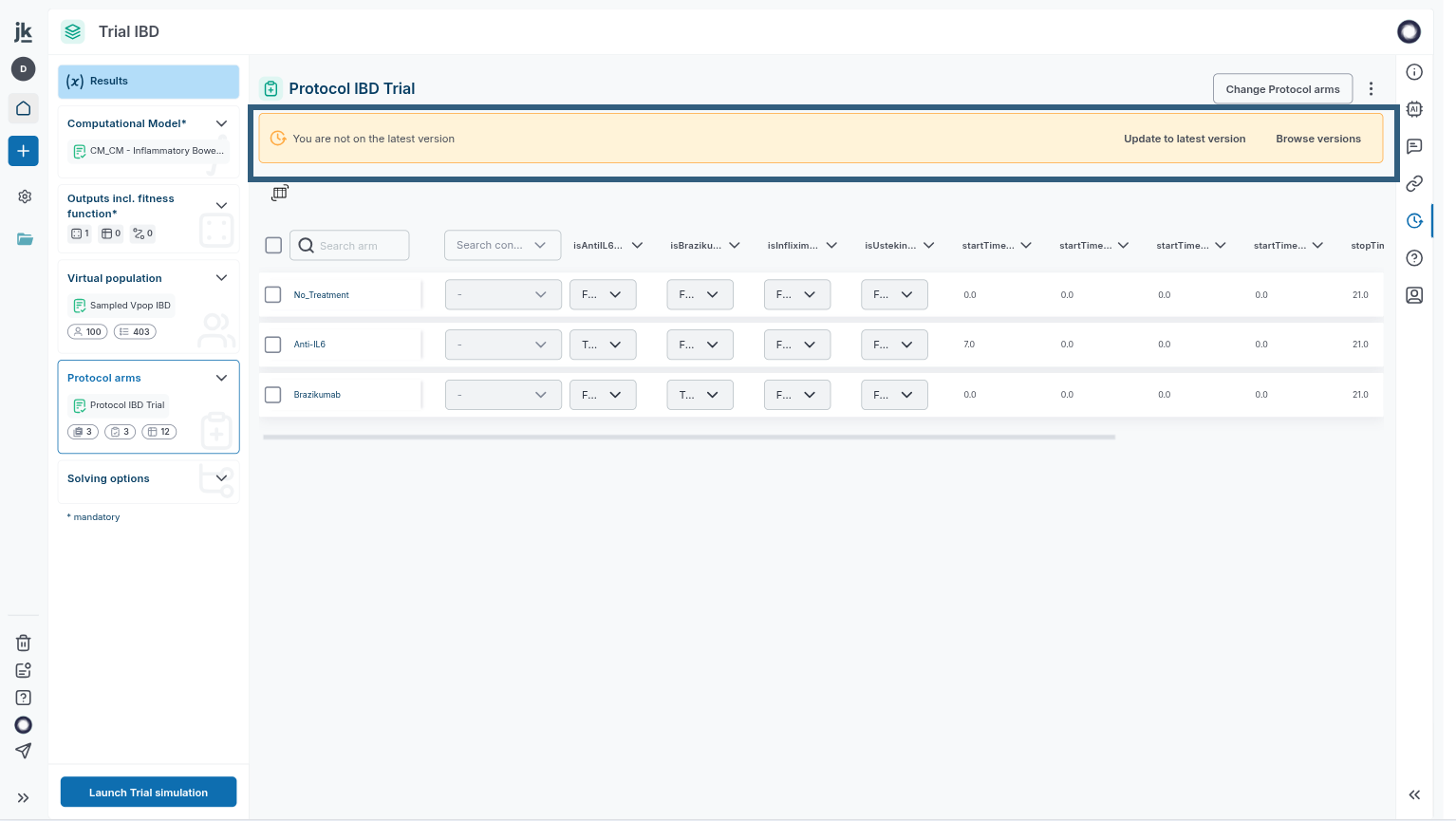
An example: items versioning in the trial editor allows to be warned of encapsulated items changes.